# Shaders & Meshes
3D mesh rendering, materials and GPU shaders
[Reference](index.md)
## Guides
### Shaders and Materials
Shaders run on the graphics processor (GPU). Use them to change a surface’s color, texture, or shape, or to update many pixels or particles at once.
Codea shaders are written in GLSL. You can use them with meshes, sprites, backgrounds, and camera effects.
```lua
myShader = shader(vsh, fsh)
myMesh.shader = myShader
myMaterial = material(shader)
myMesh.material = myMaterial
sprite(myShader, x, y, w, h)
background(myShader)
```
Start with `shader.builder()` to create a material. Use a shader definition when you need a compute shader or direct control over vertex and fragment shaders.
## Graphics Pipeline
Drawing a mesh has two main stages: a vertex shader positions its vertices, and a fragment shader colors the pixels covered by its triangles.
## Vertex Shaders
A vertex shader sets each vertex’s position on screen. Change it to bend grass, ripple a surface, or move particles. It can also pass values such as colors and texture coordinates to the fragment shader.
## Fragment Shaders
The GPU fills in the triangles between vertices and blends the values passed from their corners. A fragment shader uses these values to calculate each covered pixel’s color and, optionally, its depth.
## Compute Shaders
Compute shaders update data without drawing triangles. Use them for image effects, particle motion, or simulations.
More info: [https://www.khronos.org/opengl/wiki/Compute_Shader](https://www.khronos.org/opengl/wiki/Compute_Shader)
```lua
myComputeShader = shader.compute
[[
#version 430
#include
NUM_THREADS(1, 1, 1)
void main()
{
}
]]
```
## Workgroups
`NUM_THREADS(x, y, z)` declares the number of threads in each workgroup. `gl_GlobalInvocationID` identifies a thread across the entire dispatch. Threads in a workgroup can share memory and synchronize with barriers; independent workgroups must not rely on execution order.
## Dispatch
`shader:dispatch()` runs a given number of workgroups. Divide the image dimensions or buffer length by `shader:workgroupSize()` and round up. Check `gl_GlobalInvocationID` against the data size in your shader, since the last group may contain extra threads.
## Image Properties
Declare an `image2D` property and attach an image with `shader:setImage()`. Use `image.pixel(width, height, ...)` for a simulation grid so its size is in pixels rather than display points. The GLSL format, such as `rgba16f`, must match the image.
When a simulation reads neighboring pixels, read from one image and write to another, then swap them. Mark them `readonly` and `writeonly` in the shader. The reaction-diffusion example below shows this.
## Buffers
A `shader.buffer` holds data that compute and drawing shaders can share. Define a matching `bufferLayout` in Lua and `struct` in GLSL. The particle example stores position in `xy` and velocity in `zw` of a `vec4`. Its compute shader updates these values; its vertex shader reads them using `gl_InstanceID`.
## Shader Definitions
A shader definition is a Lua table containing its code and settings.
## Anatomy of a Shader Definition
A shader definition is broken into several parts:
- options - enable and disable specific parts of a shader
- properties - values passed into the shader (via uniforms)
- passes - one or more passes that contain shader code and settingsNOTE: shaders can either have an array of `passes` or a single `pass`
```lua
shdr = shader
{
properties =
{
{name, type, value, ...}
},
options =
{
NAME = {default, options}
},
passes =
{
{
vertex =
[[
...
]],
fragment =
[[
...
]]
}
}
}
```
## Properties
Each property is a Lua table with the following form:
`{, , , ...}`
`` names the property. Start with a letter or underscore, followed by letters, digits, or underscores.
The property name directly links to a shader uniform in one or more passes
`` is a string containing the type of property, corresponding to a GLSL uniform type
#### Property Types
| Type Name | GLSL type |
| --- | --- |
| "float" | float |
| "bool" | bool |
| "vec2" | vec2 |
| "vec3" | vec3 |
| "vec4" | vec4 |
| "texture" | sampler2D |
`` is the initial value of the property
Additional property settings are available, such as
- `color = true`
- `range = {low, high}`
- `onSet = function(...) end`
## Options
Options turn parts of a shader on or off using `#if` and `#ifdef`. Use them for features that you want to skip when they are not needed.
` = {, ...}`
Options can also depend on properties or conditions.
## Passes
Each pass contains shader code and its drawing settings. Use `pass` for a single pass or `passes` for a list of passes.
## Materials
Objects that share a shader also share its property values. Give each object a separate material to use the same shader with different colors, textures, or other settings.
## The Standard Shader
Use the built-in standard shader for common surface effects, including lighting and textures.
For more details see: [`material.unlit()`](#material.unlit) and [`material.lit()`](#material.lit)
## Surface Shaders
Surface shaders let you describe a surface’s color, roughness, and other properties while Codea handles the lighting. Set `shadingModel` in the shader definition, then provide `vertex` and `material` functions to change its shape and appearance.
The shading models are based on Google’s Filament: [https://google.github.io/filament/Materials.html](https://google.github.io/filament/Materials.html)
```lua
surface = shader
{
pass =
{
shadingModel = "lit",
vertex =
[[
void materialVertex(inout MaterialVertexInputs material)
{
}
]],
material =
[[
void material(inout MaterialInputs material)
{
prepareMaterial(material);
vec2 uv = getUV0();
material.metallic = 1.0;
material.roughness =
mod(floor(uv.x * 20) + floor(uv.y * 10), 2)
* 0.5;
material.baseColor = baseColor;
}
]]
}
}
```
## Shading Models
The following shading models are supported:
- `unlit` Basic unlit shading
- `lit` Physically based lit shading model
- `custom` Custom shading model
*MaterialInputs Struct*
The `material` function can set the various fields within the `MaterialInputs` struct to control the shading of the surface
This ranges from diffuse surface color, metal/roughness to normal mapping, ambient occlusion and more
Some are only available in specific lighting models and expect values to be within certain ranges
#### Material Inputs
| Name | Type | Models | Description |
| --- | --- | --- | --- |
| baseColor | vec4 | All | Diffuse albedo color |
| metallic | float [0..1] | Lit | The metalness of the surface (zero or one) |
| roughness | float [0..1] | Lit | Perceived smoothness (1.0) or roughness (0.0) of a surface |
| reflectance | float [0..1] | Lit | |
| clearCoat | float [0..1] | Lit | |
| clearCoatRoughness | float [0..1] | Lit | |
| anisotropy | float [-1..1] | Lit | |
| anisotropyDirection | vec3 [0..1] | Lit | |
| ambientOcclusion | float [0..1] | Lit | |
| normal | vec3 [0..1] | Lit | |
| bentNormal | vec3 [0..1] | Lit | |
| clearCoatNormal | vec3 [0..1] | Lit | |
| emissive | vec4 [0..n] | Lit | |
| postLightingColor | vec4 [0..1] | Lit | |
| ior | float [0..1] | Lit | |
| transmission | float [0..1] | Lit | |
| absorption | float [0..n] | Lit | |
| microThickness | float [0..n] | Lit | |
| thickness | float [0..n] | Lit | |
## Shader Builder
Use `shader.builder()` to assemble a shader by chaining commands. Package reusable pieces with `shader.chunk()` and combine them with `add()`. See [Shaders](#Writing-Shaders) for the builder commands and the example below for shader chunks.
## Simulating a grid with compute shaders
Drag across the grid to paint. The **Controls** panel selects the material, brush size, and whether the brush creates a continuing source. One texture holds the current state and another receives the next state; swapping them after dispatch avoids reading partially updated neighbors. The mesh displays that state using the bundled rock, water, and lava images.
#### Simulating a grid with compute shaders
[Download project](data/downloads/Simulating-a-grid-with-compute-shaders-b6a12aa38846.zip) — Open in Codea to run this example.
```lua
shaders = {}
shaders.init = shader {
options =
{
},
properties =
{
{"image", "image2D"},
},
pass =
{
compute = [[
#version 430
#include
layout(rgba32f) uniform image2D image;
NUM_THREADS(16, 16, 1)
void main()
{
ivec2 size = imageSize(image);
ivec2 pixel = ivec2(gl_GlobalInvocationID.xy);
if ( all(lessThan(pixel.xy, size)) )
{
// Store exact material IDs, independent of render color space.
vec2 p = vec2(pixel);
vec2 center = vec2(size) * vec2(0.5, 0.65);
vec4 value = vec4(0.0);
if (distance(p, center - vec2(20, 0)) < 20.0 ||
distance(p, center + vec2(20, 0)) < 20.0 || pixel.y == size.y - 1)
value.r = 1.0; // rock
else if (distance(p, vec2(size) * vec2(0.5, 0.2)) < 18.0)
value = vec4(2.0, 1.0, 0.0, 0.0); // water
imageStore(image, pixel, value);
}
}
]]
}
}
shaders.constants =
[[
//The normal, un-pressurized mass of a full water cell
const float MaxMass = 1.5;
//How much excess water a cell can store, compared to the cell above it
const float MaxCompress = 0.1;
//Ignore cells that are almost dry
const float MinMass = 0.0001;
const float MinFlow = 3.0;
const float MaxSpeed = 10;
const float SideFlow = 0.6;
const float DownFlow = 0.99;
const int AIR = 0;
const int ROCK = 1;
const int WATER = 2;
const int LAVA = 3;
const int SAND = 4;
const int OBSIDIAN = 5;
const int CENTRE = 0;
const int UP_LEFT = 1;
const int UP = 2;
const int UP_RIGHT = 3;
const int LEFT = 4;
const int RIGHT = 5;
const int DOWN_LEFT = 6;
const int DOWN = 7;
const int DOWN_RIGHT = 8;
const float MaxFlowRate[6][6] =
{
{0.0, 0.0, 0.0, 0.0, 0.0, 0.0},
{0.0, 0.0, 0.0, 0.0, 0.0, 0.0},
{1.0, 0.0, 1.0, 0.0, 0.025, 0.0},
{1.0, 0.0, 0.0, 1.0, 0.05, 0.0},
{0.0, 0.0, 0.0, 0.0, 0.0, 0.0},
{0.0, 0.0, 0.0, 0.0, 0.0, 0.0}
};
const float waterMask[6] = { 0, 0, 1, 0, 0, 0 };
const float lavaMask[6] = { 0, 0, 0, 1, 0, 0 };
]]
shaders.update = shader {
options =
{
},
properties =
{
{"imageIn", "image2D"},
{"imageOut", "image2D"},
},
includes =
{
constants = shaders.constants
},
pass =
{
compute = [[
#version 430
#include
layout(rgba32f) uniform readonly image2D imageIn;
layout(rgba32f) uniform writeonly image2D imageOut;
#define GROUP_SIZE 16
struct Flow
{
float down;
float left;
float right;
float up;
};
shared vec4 flowCache[GROUP_SIZE+2][GROUP_SIZE+2];
#include "constants.glsl"
vec4 get(int x, int y)
{
ivec2 pixel = ivec2(gl_GlobalInvocationID.xy);
ivec2 neighbor = pixel + ivec2(x, y);
if (any(lessThan(neighbor, ivec2(0))) || any(greaterThanEqual(neighbor, imageSize(imageIn))))
return vec4(ROCK, 0, 0, 0);
return imageLoad(imageIn, neighbor);
}
void setFlow(int x, int y, vec4 v)
{
flowCache[gl_LocalInvocationID.x+x+1][gl_LocalInvocationID.y+y+1] = v;
}
vec4 getFlow(int x, int y)
{
return flowCache[gl_LocalInvocationID.x+x+1][gl_LocalInvocationID.y+y+1];
}
float getStableState(float totalMass)
{
if (totalMass <= 1)
return 1;
else if ( totalMass < 2*MaxMass + MaxCompress )
return (MaxMass*MaxMass + totalMass*MaxCompress)/(MaxMass + MaxCompress);
else
return (totalMass + MaxCompress)/2;
}
void flowDown(in ivec2 offset, inout vec4 current, inout vec4 flowValues)
{
vec4 down = get(offset.x, offset.y + 1);
float flowRate = MaxFlowRate[int(current.r)][int(down.r)];
if (flowRate > 0.0)
{
flowValues.r = getStableState(current.g + down.g) - down.g;
if (flowValues.r > MinFlow) flowValues.r *= 0.5;
flowValues.r = min(flowValues.r + down.g, MaxMass + MaxCompress) - down.g;
flowValues.r = clamp(flowValues.r, 0.0, min(MaxSpeed, current.g * DownFlow));
flowValues.r = min(flowValues.r, flowRate);
current.g -= flowValues.r;
}
}
void flowLeft(in ivec2 offset, inout vec4 current, inout vec4 flowValues)
{
vec4 left = get(offset.x - 1, offset.y);
float flowRate = MaxFlowRate[int(current.r)][int(left.r)];
if (flowRate > 0.0)
{
flowValues.g = (current.g - left.g) * SideFlow;
//if (flowValues.g > MinFlow) flowValues.g *= 0.5;
flowValues.g = min(flowValues.g + left.g, MaxMass + MaxCompress) - left.g;
flowValues.g = clamp(flowValues.g, 0, current.g);
flowValues.g = min(flowValues.g, flowRate);
current.g -= flowValues.g;
}
}
void flowRight(in ivec2 offset, inout vec4 current, inout vec4 flowValues)
{
vec4 right = get(offset.x + 1, offset.y);
float flowRate = MaxFlowRate[int(current.r)][int(right.r)];
if (flowRate > 0.0)
{
flowValues.b = (current.g - right.g) * SideFlow;
//if (flowValues.b > MinFlow) flowValues.b *= 0.5;
flowValues.b = min(flowValues.b + right.g, MaxMass + MaxCompress) - right.g;
flowValues.b = clamp(flowValues.b, 0, current.g);
flowValues.b = min(flowValues.b, flowRate);
current.g -= flowValues.b;
}
}
void flowUp(in ivec2 offset, inout vec4 current, inout vec4 flowValues)
{
vec4 up = get(offset.x, offset.y - 1);
if (up.r != ROCK)
{
flowValues.a = current.g - getStableState(current.g + up.g);
if (flowValues.a > MinFlow) flowValues.a *= 0.5;
flowValues.a = clamp(flowValues.a, 0.0, min(MaxSpeed, current.g));
current.g -= flowValues.a;
}
}
vec4 liquid(in ivec2 offset, in vec4 current)
{
vec4 flowValues = vec4(0, 0, 0, 0);
flowDown(offset, current, flowValues);
flowLeft(offset, current, flowValues);
flowRight(offset, current, flowValues);
//flowUp(offset, current, flowValues);
setFlow(offset.x, offset.y, flowValues);
return current;
}
vec4 process(ivec2 offset)
{
vec4 current = get(offset.x, offset.y);
if (current.r == WATER || current.r == LAVA)
{
current = liquid(offset, current);
}
else
{
setFlow(offset.x, offset.y, vec4(0.0));
}
return current;
}
NUM_THREADS(GROUP_SIZE, GROUP_SIZE, 1)
void main()
{
uvec2 size = imageSize(imageIn);
ivec2 pixel = ivec2(gl_GlobalInvocationID.xy);
// Process workgroup edge cases
if ( all(lessThan(pixel.xy, size)) )
{
// Bottom edge
if (gl_LocalInvocationID.y == 0)
{
process(ivec2(0, -1));
}
// Top edge
else if (gl_LocalInvocationID.y == GROUP_SIZE-1)
{
process(ivec2(0, 1));
}
// Left edge
if (gl_LocalInvocationID.x == 0)
{
process(ivec2(-1, 0));
}
// Right edge
else if (gl_LocalInvocationID.x == GROUP_SIZE-1)
{
process(ivec2(1, 0));
}
// Final value
vec4 current = process(ivec2(0, 0));
barrier();
if (current.r == AIR || current.r == WATER || current.r == LAVA || current.r == SAND)
{
vec4 u = get(0, -1);
vec4 l = get(-1, 0);
vec4 r = get(1, 0);
vec4 d = get(0, 1);
float waterFlow = current.g * waterMask[int(current.r)];
waterFlow += getFlow(0, -1).r * waterMask[int(u.r)];
waterFlow += getFlow(1, 0).g * waterMask[int(r.r)];
waterFlow += getFlow(-1, 0).b * waterMask[int(l.r)];
waterFlow += getFlow(0, 1).a * waterMask[int(d.r)];
bool hasWater = waterFlow > MinMass;
float lavaFlow = current.g * lavaMask[int(current.r)];
lavaFlow += getFlow(0, -1).r * lavaMask[int(u.r)];
lavaFlow += getFlow(1, 0).g * lavaMask[int(r.r)];
lavaFlow += getFlow(-1, 0).b * lavaMask[int(l.r)];
lavaFlow += getFlow(0, 1).a * lavaMask[int(d.r)];
bool hasLava = lavaFlow > MinMass;
if (current.r == SAND)
{
current.g += (lavaFlow + waterFlow) * 0.75;
if (current.g >= 1.0)
{
current.r = hasWater ? WATER : (hasLava ? LAVA : SAND);
}
}
else if (hasWater && waterFlow > lavaFlow)
{
current.r = WATER;
current.g = max(waterFlow, current.a);
}
else if (hasLava && lavaFlow > waterFlow)
{
current.r = LAVA;
current.g = max(lavaFlow, current.a);
//current.b = max(current.b - waterFlow, 0);
//if (current.b == 0) current.r = ROCK;
}
else
{
current.r = AIR;
}
current.g = max(current.g, 0.0);
}
imageStore(imageOut, pixel, current);
}
}
]]
}
}
shaders.paint = shader {
options = {},
properties =
{
{"image", "image2D", format = image.rgba32f},
{"u_paintPos", "vec2", {0.0, 0.0}},
{"u_brushSize", "float", 5.0},
{"u_brushType", "int", 1},
{"u_brushSource", "bool", false}
},
includes =
{
constants = shaders.constants
},
pass =
{
compute = [[
#version 430
#include
layout(rgba32f) uniform writeonly image2D image;
uniform vec2 u_paintPos;
uniform float u_brushSize;
uniform int u_brushType;
uniform bool u_brushSource;
#include "constants.glsl"
NUM_THREADS(16, 16, 1)
void main()
{
ivec2 size = imageSize(image);
ivec2 pixel = ivec2(gl_GlobalInvocationID.xy);
if ( all(lessThan(pixel.xy, size)) )
{
if (distance(u_paintPos, vec2(pixel)) < u_brushSize)
{
vec4 value = vec4(u_brushType, 0.0, 0.0, 0.0);
if (u_brushType == WATER)
{
value.g = 1.0;
if (u_brushSource) value.a = 0.5;
}
if (u_brushType == LAVA)
{
value.g = 1.0;
value.b = 1.0;
if (u_brushSource) value.a = 0.5;
}
if (u_brushType == SAND)
{
value.g = 0.0;
}
imageStore(image, pixel, value);
}
}
}
]]
}
}
shaders.visualise = shader{
options =
{
},
properties =
{
{"rock", "texture"},
{"water", "texture"},
{"lava", "texture"}
},
includes =
{
constants = shaders.constants
},
pass =
{
vertex =
[[
#version 430
#include
layout (location = POSITION) in vec3 a_position;
layout (location = COLOR0) in vec4 a_color0;
layout (location = TEXCOORD0) in vec2 a_texcoord0;
layout(location = 0) out vec4 v_color0;
layout(location = 1) out vec2 v_texcoord0;
void main()
{
gl_Position = u_modelViewProj * vec4(a_position, 1.0);
v_color0 = a_color0 * u_tintColor;
v_texcoord0 = a_texcoord0;
}
]],
fragment =
[[
#version 430
#include
layout(location = 0) in vec4 v_color0;
layout(location = 1) in vec2 v_texcoord0;
#include "constants.glsl"
out vec4 FragColor;
uniform sampler2D water;
uniform sampler2D rock;
uniform sampler2D lava;
vec3 permute(vec3 x) { return mod(((x*34.0)+1.0)*x, 289.0); }
float snoise(vec2 v){
const vec4 C = vec4(0.211324865405187, 0.366025403784439, -0.577350269189626, 0.024390243902439);
vec2 i = floor(v + dot(v, C.yy) );
vec2 x0 = v - i + dot(i, C.xx);
vec2 i1;
i1 = (x0.x > x0.y) ? vec2(1.0, 0.0) : vec2(0.0, 1.0);
vec4 x12 = x0.xyxy + C.xxzz;
x12.xy -= i1;
i = mod(i, 289.0);
vec3 p = permute( permute( i.y + vec3(0.0, i1.y, 1.0 ))
+ i.x + vec3(0.0, i1.x, 1.0 ));
vec3 m = max(0.5 - vec3(dot(x0,x0), dot(x12.xy,x12.xy),
dot(x12.zw,x12.zw)), 0.0);
m = m*m ;
m = m*m ;
vec3 x = 2.0 * fract(p * C.www) - 1.0;
vec3 h = abs(x) - 0.5;
vec3 ox = floor(x + 0.5);
vec3 a0 = x - ox;
m *= 1.79284291400159 - 0.85373472095314 * ( a0*a0 + h*h );
vec3 g;
g.x = a0.x * x0.x + h.x * x0.y;
g.yz = a0.yz * x12.xz + h.yz * x12.yw;
return 130.0 * dot(m, g);
}
void main()
{
vec4 value = texture(s_texture, v_texcoord0);
vec3 c = vec3(0.0);
vec2 uvRipple = v_texcoord0 * 10.0 + vec2(value.g) * 0.2;
uvRipple += snoise(v_texcoord0 * 20.0 + u_time.x) * 0.05;
if (value.r == AIR)
{
// Background rock
vec3 bg = texture(rock, v_texcoord0 * 10.0).rgb;
c = bg * 0.125;
}
else if (value.r == SAND)
{
// Normal rock
vec3 r = texture(rock, v_texcoord0 * 5.0).rgb + vec3(0.3, 0.2, 0.0);
r *= (1.0 - value.g);
c = r;
}
else if (value.r == ROCK)
{
// Normal rock
vec3 r = texture(rock, v_texcoord0 * 5.0).rgb;
c = r;
}
else if (value.r == WATER)
{
vec3 waterTex = texture(water, uvRipple).rgb;
float alpha = 0.4 + value.g * 0.3;
c = c + waterTex * alpha;
}
else if (value.r == LAVA)
{
vec3 lavaTex = texture(lava, uvRipple * 2.0).rgb;
c = lavaTex;
}
FragColor = vec4(c, 1.0);
}
]],
}
}
function setup()
Scale = 3
local w, h = 256, 128 + 64
buffers =
{
image.pixel(w, h, false, 1, image.rgba32f),
image.pixel(w, h, false, 1, image.rgba32f)
}
apply(shaders.init, buffers[1])
m = mesh()
m.positions =
{
vec3(-w/2, h/2, 0), vec3(w/2, h/2, 0),
vec3(w/2, -h/2, 0), vec3(-w/2, -h/2, 0)
}
m.uvs =
{
vec2(0, 0), vec2(1, 0),
vec2(1, 1), vec2(0, 1)
}
m.colors =
{
color(255), color(255),
color(255), color(255)
}
m:addElement(3,2,1)
m:addElement(4,3,1)
m.shader = shaders.visualise
shaders.visualise.rock = image.read(asset.Rock)
shaders.visualise.water = image.read(asset.Water)
shaders.visualise.lava = image.read(asset.Lava)
parameter.integer("Material", 0, 4, 2) -- air, rock, water, lava, sand
parameter.integer("BrushSize", 5, 50, 5)
parameter.boolean("IsSource", false)
end
function swap(a, b)
return b, a
end
function apply(cs, buffer)
local wx, wy = cs:workgroupSize()
cs:setImage("image", buffer)
cs:dispatch(math.ceil(buffer.width/wx), math.ceil(buffer.height/wy), 1)
end
function updateStuff()
if touch.current.state == MOVING then
local w, h = buffers[1].width * Scale, buffers[1].height * Scale
local min = vec2(WIDTH/2 - w / 2, HEIGHT/2 - h /2)
local max = vec2(WIDTH/2 + w / 2, HEIGHT/2 + h /2)
local x = (touch.current.x - min.x) / (max.x - min.x) * w
local y = (1 - ((touch.current.y - min.y) / (max.y - min.y))) * h
shaders.paint.u_paintPos = vec2(x/Scale, y/Scale)
shaders.paint.u_brushType = Material
shaders.paint.u_brushSize = BrushSize
shaders.paint.u_brushSource = IsSource
apply(shaders.paint, buffers[1])
end
local wx, wy = shaders.update:workgroupSize()
shaders.update:setImage("imageIn", buffers[1])
shaders.update:setImage("imageOut", buffers[2])
shaders.update:dispatch(math.ceil(buffers[1].width/wx), math.ceil(buffers[1].height/wy), 1)
buffers[1], buffers[2] = swap(buffers[1], buffers[2])
end
function draw()
Scale = math.min(WIDTH / buffers[1].width, HEIGHT / buffers[1].height) * 0.85
updateStuff()
background(125)
style.push().smooth()
matrix.push().translate(WIDTH/2, HEIGHT/2).scale(Scale)
m.texture = buffers[1]
m:draw()
matrix.pop()
style.pop()
sprite(buffers[1], 50, 50, 100, 100)
end
function touched(touch)
end
```
## Composing reusable shader chunks
Drag to orbit a marble sphere with a glowing rim. The ground combines a checkerboard, a normal map, and a moving cloud shadow. Each effect is a reusable shader chunk; try changing the checkerboard colors first.
#### Composing reusable shader chunks
[Download project](data/downloads/Composing-reusable-shader-chunks-fa2be66620b6.zip) — Open in Codea to run this example.
```lua
-- Shader Builder
-- A utility class that makes modular shaders easy to create
-- Use this function to perform your initial setup
function setup()
scn = scene.default3d()
scn.camera:add(camera.rigs.orbit)
scene.main = scn
-- Bake spherical noise texture
noiseTex = image(512, 512, false, 1, image.rgba8)
context.push(noiseTex)
sprite(shader.builder():unlit()
:include("codea/noise/classic/3d.glsl") -- include 3D noise utility (cnoise)
:include("codea/utilities.glsl") -- include for sphericalToCartesian() helper function
:material
[[
{
vec3 p = sphericalToCartesian(vec3(3, getUV0().yx * vec2(PI, 2*PI) ));
float o1 = cnoise(p*0.5 + vec3(10)) * 1.75;
float o2 = cnoise(p*0.25 + o1) * 0.5;
float n = abs(cnoise(p + o2));
material.baseColor = vec4(0,0,0,1);
material.baseColor.r = n;
}
{
vec3 p = sphericalToCartesian(vec3(5, getUV0().yx * vec2(PI, 2*PI) ));
material.baseColor.g = cnoise(p) * 0.5 + 0.5;
material.baseColor.b = cnoise(p + vec3(100.423)) * 0.5 + 0.5;
material.baseColor.a = cnoise(p + vec3(2323.232)) * 0.5 + 0.5;
}
]]
:build(), 256, 256, 512, 512)
context.pop()
-- Shader chunks are reusable pieces of shader functionality
-- they are able to contain properties, code, functions, includes and more
-- they can be added to a shader builder via builder:add()
-- multiple chunks can easily be combined although some may
-- interfere with each other if they modify the same material parameters
-- Raymarched parallax shader
marble = shader.chunk()
:include("codea/utilities.glsl")
:texture{"heightMap", value = noiseTex}
:color{"colorB", value = color.black}
:color{"colorA", value = color(211, 13, 125)}
:number{"iterations", value = 5}
:number{"depth", value = 1}
:number{"smoothing", value = 0}
:func
[[
vec3 marchMarble(vec3 rayOrigin, vec3 rayDir) {
float perIteration = 1. / float(iterations);
vec3 deltaRay = rayDir * perIteration * depth;
// Start at point of intersection and accumulate volume
vec3 p = rayOrigin;
vec3 col = vec3(0);
for (int i=0; i
layout(rgba16f) uniform image2D image;
layout(rgba16f) uniform readonly image2D previous;
uniform vec2 u_diffusion = vec2(1.0, 0.5);
uniform float u_feed = 0.055;
uniform float u_kill = 0.062;
uniform float u_dt = 1.0 / 60.0;
#ifdef INIT
float random (vec2 st)
{
return fract(sin(dot(st.xy, vec2(12.9898,78.233)))* 43758.5453123);
}
NUM_THREADS(16, 16, 1)
void main()
{
ivec2 size = imageSize(image);
ivec2 pixel = ivec2(gl_GlobalInvocationID.xy);
if ( all(lessThan(pixel.xy, size)) )
{
vec4 value = vec4(1.0, 0.0, 0.0, 1.0);
/*
if (pixel.x > size.x/2-10 && pixel.y > size.y/2-10 && pixel.x < size.x/2+10 && pixel.y < size.y/2+10)
{
value.r = 0.5 + random(pixel.xy) * 0.02 - 0.01;
value.g = 0.5 + random(pixel.xy * 5) * 0.02 - 0.01;
}*/
imageStore(image, pixel, value);
}
}
#else
vec2 sampleImage(ivec2 pos)
{
return imageLoad(previous, clamp(pos, ivec2(0), imageSize(previous) - 1)).rg;
}
NUM_THREADS(16, 16, 1)
void main()
{
ivec2 size = imageSize(image);
ivec2 id = ivec2(gl_GlobalInvocationID.xy);
if ( all(lessThan(id.xy, size)) )
{
vec2 pq = sampleImage(id.xy);
ivec3 d = ivec3(1, -1, 0);
vec2 q = -pq;
q += sampleImage(id.xy - d.xx).xy * 0.05; // -1,-1
q += sampleImage(id.xy - d.zx).xy * 0.20; // 0, -1
q += sampleImage(id.xy - d.yx).xy * 0.05; // +1, -1
q += sampleImage(id.xy - d.xz).xy * 0.20; // -1, 0
q += sampleImage(id.xy + d.xz).xy * 0.20; // +1, 0
q += sampleImage(id.xy + d.yx).xy * 0.05; // -1, +1
q += sampleImage(id.xy + d.zx).xy * 0.20; // 0, +1
q += sampleImage(id.xy + d.xx).xy * 0.05; // +1, +1
float ABB = pq.x * pq.y * pq.y;
float a = pq.x + (u_diffusion.x * q.x - ABB + u_feed * (1.0 - pq.x)) * u_dt;
float b = pq.y + (u_diffusion.y * q.y + ABB - (u_kill + u_feed) * pq.y) * u_dt;
imageStore(image, id, vec4(saturate(a), saturate(b), 0.0, 1.0));
}
}
#endif
]]
}
}
self.paint = shader {
options =
{
},
properties =
{
{"image", "image2D"},
{"u_paintPos", "vec2", {0.0, 0.0}},
{"u_brushSize", "float", 10.0}
},
pass =
{
compute = [[
#version 430
#include
layout(rgba16f) uniform image2D image;
uniform vec2 u_paintPos;
uniform float u_brushSize;
float random (vec2 st)
{
return fract(sin(dot(st.xy, vec2(12.9898,78.233)))* 43758.5453123);
}
NUM_THREADS(16, 16, 1)
void main()
{
ivec2 size = imageSize(image);
ivec2 pixel = ivec2(gl_GlobalInvocationID.xy);
if ( all(lessThan(pixel.xy, size)) )
{
if (distance(u_paintPos, vec2(pixel)) < u_brushSize)
{
vec4 value = vec4(1.0, 0.0, 0.0, 0.0);
value.r = 0.5 + random(pixel.xy) * 0.02 - 0.01;
value.g = 0.5 + random(pixel.xy * 5) * 0.02 - 0.01;
imageStore(image, pixel, value);
}
}
}
]]
}
}
self.visualise = shader{
properties =
{
{"img", "texture"}
},
pass =
{
vertex =
[[
#version 430
#include
layout (location = POSITION) in vec3 a_position;
layout (location = TEXCOORD0) in vec2 a_texcoord0;
layout(location = 0) out vec4 v_color0;
layout(location = 1) out vec2 v_texcoord0;
void main()
{
gl_Position = u_modelViewProj * vec4(a_position, 1.0);
v_texcoord0 = a_texcoord0;
}
]],
fragment =
[[
#version 430
#include
layout(location = 1) in vec2 v_texcoord0;
uniform highp sampler2D img;
out vec4 FragColor;
const float COLOR_MIN = 0.2, COLOR_MAX = 0.4;
void main()
{
vec2 ab = texture(img, v_texcoord0).rg;
float d = 1.0 - (COLOR_MAX - ab.y) / (COLOR_MAX - COLOR_MIN);
FragColor = vec4(vec3(saturate(d)), 1.0);
}
]],
}
}
self.size = vec2(w or 256, h or 256)
self.buffer = image.pixel(self.size.x, self.size.y, false, 1, image.rgba16f)
self.nextBuffer = image.pixel(self.size.x, self.size.y, false, 1, image.rgba16f)
self.buffer.smooth = true
self:reset()
end
function ReactionDiffusion:draw(x, y, w, h)
matrix.push().translate(x, y)
self.visualise.img = self.buffer
sprite(self.visualise, 0, 0, w, h)
matrix.pop()
end
function ReactionDiffusion:fixedUpdate(dt)
self.rd:setOption("INIT", false)
self.rd.u_diffusion = vec2(1.0, 0.5)
self.rd.u_feed = 0.0545
self.rd.u_kill = 0.062
self.rd.u_dt = dt * 30
for i = 1, 12 do
self.rd:setImage("previous", self.buffer)
self.rd:setImage("image", self.nextBuffer)
self.rd:dispatch(math.ceil(self.buffer.width / 16), math.ceil(self.buffer.height / 16), 1)
self.buffer, self.nextBuffer = self.nextBuffer, self.buffer
end
end
function ReactionDiffusion:reset()
self.rd:setOption("INIT", true)
self.rd:setImage("image", self.buffer)
self.rd:dispatch(math.ceil(self.buffer.width / 16), math.ceil(self.buffer.height / 16), 1)
end
function ReactionDiffusion:set(x, y, size)
self.paint:setImage("image", self.buffer)
self.paint.u_paintPos = vec2(x, y)
self.paint.u_brushSize = size
self.paint:dispatch(math.ceil(self.buffer.width / 16), math.ceil(self.buffer.height / 16), 1)
end
```
## Sharing a GPU buffer between compute and drawing
Touch to attract ten thousand particles. A compute shader updates their positions and velocities in a shared buffer, which a mesh reads to draw them. Adjust the attraction range and strength in **Controls**. The shader checks `instanceCount` to skip unused threads in the last workgroup.
#### Sharing a GPU buffer between compute and drawing
[Download project](data/downloads/Compute-driven-particles-8110ac1458a4.zip) — Open in Codea to run this example.
```lua
-- Compute Shaders using shader.builder()
-- Instanced sprites with curl-noise velocity field
-- Use this function to perform your initial setup
function setup()
-- Create a reusable shader chunk for the instances buffer that looks like this in GLSL:
-- struct Instances
-- {
-- vec4 position; // (x, y, vx, vy) position and velocity
-- };
instancesChunk = shader.chunk()
:struct{"Instance"}
:vec4("position")
:done()
:buffer{"Instance", "instances", access = "readwrite"}
-- Create the instanced unlit sprite shader
instancing = shader.builder()
:unlit()
:add(instancesChunk) -- make instances buffer available to shader
:cull("none"):blend("additive")
:variable{"posVel"}
:vertex
[[
vec4 posVel = instances[gl_InstanceID].position;
float speed = max(length(posVel.zw), 0.0001);
vec2 x = posVel.zw;
vec2 y = vec2(-x.y, x.x) / speed;
// Matrix to rotate and stretch along velocity
mat2 rot = mat2(x * 1, y);
// Apply translation and rotation to particle
material.worldPosition.xy = rot * material.worldPosition.xy + posVel.xy;
material.posVel = posVel;
]]
:func
[[
vec3 hueShift( vec3 color, float hueAdjust ){
const vec3 kRGBToYPrime = vec3 (0.299, 0.587, 0.114);
const vec3 kRGBToI = vec3 (0.596, -0.275, -0.321);
const vec3 kRGBToQ = vec3 (0.212, -0.523, 0.311);
const vec3 kYIQToR = vec3 (1.0, 0.956, 0.621);
const vec3 kYIQToG = vec3 (1.0, -0.272, -0.647);
const vec3 kYIQToB = vec3 (1.0, -1.107, 1.704);
float YPrime = dot (color, kRGBToYPrime);
float I = dot (color, kRGBToI);
float Q = dot (color, kRGBToQ);
float hue = atan (Q, I);
float chroma = sqrt (I * I + Q * Q);
hue += hueAdjust;
Q = chroma * sin (hue);
I = chroma * cos (hue);
vec3 yIQ = vec3 (YPrime, I, Q);
return vec3( dot (yIQ, kYIQToR), dot (yIQ, kYIQToG), dot (yIQ, kYIQToB) );
}
]]
:material
[[
vec4 posVel = vertex_posVel;
material.baseColor = vec4(hueShift(vec3(0.2, 0.4, 0.3), length(posVel.zw)), 0.05);
]]
:build()
-- Compute shader for updating the instances each frame
updatePositions = shader.builder()
:add(instancesChunk)
-- GPU noise functions (see the GPU Noise reference)
:include("codea/noise/noise.glsl")
:uint{"instanceCount", value = 0}
:vec2{"screenSize", value = vec2(WIDTH, HEIGHT)}
-- TODO: add support for uniform arrays to make this easier
:vec4{"attractorA", value = vec4(WIDTH/2, HEIGHT/2, 300, 0.001)}
:vec4{"attractorB", value = vec4(WIDTH/2, HEIGHT/2, 300, 0.001)}
:vec4{"attractorC", value = vec4(WIDTH/2, HEIGHT/2, 300, 0.001)}
:threads(512,1,1)
:compute
[[
// Get the current instance to work on
uint i = gl_GlobalInvocationID.x;
// Prevent going over the end of the buffer
if (i < instanceCount)
{
vec2 pos = instances[i].position.xy;
vec2 vel = instances[i].position.zw;
// Sample two curl-noise fields that scroll in different directions and rates
vec2 curl1 = SimplexPerlin2D_Deriv(pos * 0.01 + vec2(u_time.x, -u_time.x) * 0.5).yz;
curl1 = vec2(-curl1.y, curl1.x) * 0.75;
vec2 curl2 = SimplexPerlin2D_Deriv(pos * 0.05 + vec2(0, u_time.x) * 5.0).yz;
curl2 = vec2(-curl2.y, curl2.x) * 0.5;
// Apply curl noise velocity field
vel += (curl1 + curl2) * u_time.y;
vec4 attractors[3] =
{
attractorA,
attractorB,
attractorC,
};
for (int i = 0; i < 3; i++)
{
vec4 attractor = attractors[i];
vec2 force = (attractor.xy - pos);
float dist = length(force);
force = force / max(dist, 0.0001) * (1 - min(dist / max(attractor.z, 0.0001), 1));
vel += force * attractor.w;
}
// Apply some damping
vel -= vel * 0.8 * u_time.y;
// Add velocity to position * delta time
pos += vel * 30.0 * u_time.y;
// Bounce instances to screen bounds
if (pos.x < 0.0)
{
vel.x *= -2.0; pos.x = 0.0;
}
else if (pos.x > screenSize.x)
{
vel.x *= -2.0; pos.x = screenSize.x;
}
if (pos.y < 0.0)
{
vel.y *= -2.0; pos.y = 0.0;
}
else if (pos.y > screenSize.y)
{
vel.y *= -2.0; pos.y = screenSize.y;
}
instances[i].position = vec4(pos, vel);
}
]]
:build()
-- Create a buffer to match the shader buffer (syntax is a bit ugly right now)
local layout = shader.bufferLayout
{
{shader.position, 4, shader.float} -- vec4
}
-- Create buffer to hold instance data
instancesBuffer = shader.buffer(layout)
-- Create initial instances by appending data to buffer
-- Change this number to adjust the total particles being created
for k = 1, 10000 do
instancesBuffer:append(shader.position, vec4(math.random(0, WIDTH), math.random(0, HEIGHT),
0, 0)) --math.random() * 0.5 - 0.5, math.random() * 0.5 - 0.5))
end
updatePositions:setBuffer("instancesBuffer", instancesBuffer)
updatePositions.instanceCount = instancesBuffer.size
instancing:setBuffer("instancesBuffer", instancesBuffer)
-- Make one tiny little quad for our sprites
m = mesh()
m:addRect(0, 0, 1.5, 1.5)
m.shader = instancing
attractors =
{
{name = "attractorA", params = vec4()},
{name = "attractorB", params = vec4()},
{name = "attractorC", params = vec4()}
}
parameter.integer("Attractor", 1, 3, 1)
parameter.number("AttractorRadius", 0, 1000, 300, updateAttractor)
parameter.number("AttractorStrength", 0, 100, 5, updateAttractor)
-- Camera effects are documented separately; this demo focuses on GPU buffers.
end
function updateAttractor()
local a = attractors[Attractor]
a.params.z = (AttractorRadius or 300)
a.params.w = (AttractorStrength or 5) / 100
updatePositions[a.name] = a.params
end
-- This function gets called once every frame
function draw()
-- This sets a dark background color
updatePositions.screenSize = vec2(WIDTH, HEIGHT)
local wx = updatePositions:workgroupSize()
updatePositions:dispatch(math.ceil(instancesBuffer.size / wx), 1, 1)
--b:push()
background(40, 40, 50)
style.push().noStroke().fill(255)
for k,v in pairs(attractors) do
ellipse(v.params.x, v.params.y, 5)
end
style.pop()
m:draw(instancesBuffer.size)
--b:pop()
end
function touched(touch)
local a = attractors[Attractor]
a.params.x = touch.x
a.params.y = touch.y
updateAttractor()
end
```
## Animating instanced grass on terrain
Drag to orbit the terrain and use **Controls** to change the wind, grass shape, and colors. `Terrain.lua` creates a height map; `Grass.lua` places and bends the grass. Increase density gradually: doubling it creates four times as many blades.
#### Animating instanced grass on terrain
[Download project](data/downloads/Animating-instanced-grass-on-terrain-c016ad34a0e8.zip) — Open in Codea to run this example.
```lua
-- GPU Grass
-- viewer.displayStats = true
-- Reusable glass properties
GrassColorChunk = shader.chunk()
:color{"midColor", value = color(61, 161, 25)}
:color{"baseColor2", value = color(27, 53, 27)}
:color{"tipColor", value = color(229, 203, 100)}
-- Reusable grass instance buffer settings
InstancesChunk = shader.chunk()
:struct{"Instance"}
:vec4("position")
:vec4("details")
:done()
:buffer{"Instance", "instances", access = "readwrite"}
function setup()
scn = scene.default3d()
sunlight = scn.sun:get(light)
sunlight.castShadows = true
cam = scn.camera:get(camera)
cam.clearColor = color(47)
scn.skyBlur = 9
rig = scn.camera:add(camera.rigs.orbit)
rig.distance = 75
rig.angles.x = 45
rig.angles.y = 45
groundEnt = scn:entity("ground")
terrain = groundEnt:add(Terrain)
grass = groundEnt:add(Grass)
box = scn:entity("box")
box.scale = vec3(3, 5, 3)
box.y = 15
box:add(mesh.box())
scene.main = scn
parameter.color("GrassBaseColor", color(27, 53, 27), function(s)
Grass.shader.baseColor2 = s
end)
parameter.color("GrassMidColor", color(61, 161, 25), function(s)
Grass.shader.midColor = s
end)
parameter.color("GrassTipColor", color(229, 203, 100), function(s)
Grass.shader.tipColor = s
end)
parameter.number("WindNoiseScale", 0, 500, 250, function(s)
grass.windNoiseScale = s
end)
parameter.number("WindPanSpeed", 0, 0.5, 0.04, function(s)
grass.windPanSpeed = s
end)
parameter.number("WindNoiseStrength", 0, 10, 3, function(s)
grass.windNoiseStrength = s
end)
parameter.number("BladeThickness", 0.1, 3, 0.4, function(s)
grass.bladeThickness = s
end)
parameter.number("BladeHeight", 0.1, 10, 4, function(s)
grass.bladeHeight = s
end)
parameter.number("BladeBendFactor", 0.1, 4, 2, function(s)
grass.bladeBendFactor = s
end)
parameter.number("BladeBendStrength", 0.0, 3, 0.5, function(s)
grass.bladeBendStrength = s
end)
parameter.boolean("ShadowsEnabled", false, function(s)
sunlight.castShadows = s
end)
parameter.integer("GrassDensity", 100, 1000, 100, function(d)
end)
parameter.action("UpdateGrass", function()
grass:setDensity(GrassDensity)
end)
end
function draw()
matrix.reset().ortho()
sprite(terrain.heightMap, WIDTH-100, HEIGHT/2, 100)
end
```
**Terrain.lua — generating and displaying the height map**
```lua
Terrain = class()
-- HeightMap displacement shader for terrain
Terrain.static.shader = shader.builder():lit()
:include "codea/utilities.glsl"
:texture{"heightMap", binding = 5}
:texture{"baseColor"}
:number{"terrainSize", value = 50}
:number{"terrainHeight", value = 20}
:vertex([[
material.uv0 = fract(material.worldPosition.xz / (terrainSize * 2 + 1) + 0.5);
material.worldPosition.y += textureLod(heightMap, material.uv0, 0).x * terrainHeight;
]])
:normals([[
material.normal = decodeNormal(textureLod(heightMap, fract(getUV0()), 0).yzw);
]])
:material([[
vec3 bc = texture(baseColor, getUV0() * 2).rgb;
bc = pow(bc, vec3(2.2));
material.baseColor = vec4(bc, 1.0);
]])
:build()
function Terrain:created()
self.mesh = mesh.plane(50, 50, 100, 100)
self.entity:add(self.mesh)
self.height = 20
self.size = 50
-- Generate a noise-based height map
self.heightMap = image(512, 512)
context.push(self.heightMap)
background(shader.builder():unlit()
:include "codea/noise/noise.glsl"
:include "codea/utilities.glsl"
:material([[
vec2 uv = getUV0() * 2;
float n = Perlin2D(uv); // + Perlin2D(uv * 2) * 0.1;
vec2 d = vec2(dFdx(n), dFdy(n));
d *= 30;
float h = n.x * 0.4 + 0.5;
vec3 nrm = encodeNormal(normalize(vec3(d.x, d.y, 0.5)));
material.baseColor = vec4(h, nrm);
]])
:build())
context.pop()
self.mat = material(Terrain.shader)
self.mat.heightMap = self.heightMap
self.mat.terrainHeight = self.height
self.mat.terrainSize = self.size
self.mat.baseColor = asset.Ground
self.entity.material = self.mat
end
```
**Grass.lua — placing and animating instances**
```lua
Grass = class()
function Grass:created()
Grass.static.layout = shader.bufferLayout
{
{shader.position, 4, shader.float}, -- position(x, y, z, rot)
{shader.texcoord0, 4, shader.float} -- details(height, n/a, n/a, n/a)
}
Grass.static.shader = shader.builder():unlit()
:add(InstancesChunk) -- make instances buffer available to shader
:add(GrassColorChunk)
:doubleSided(true)
:texture{"windNoise"}
:option{"USE_MASK_MAP", value = false}
:texture{"maskMap", option = "USE_MASK_MAP"}
:number{"terrainSize", value = 50}
:number{"terrainHeight", value = 20}
:vec4{"windParams", value = vec4(250, 0.04, 3, 0)} -- noise scale, panning speed, noise strength
:vec4{"bladeParams", value = vec4(0.5, 4.0, 2, 0.5)} -- thickness, height, bendFactor, bendStrength
:variable{"color"}
:vertex([[
// Get the instance parameters
vec4 pos = instances[gl_InstanceID].position;
vec4 det = instances[gl_InstanceID].details;
// Use texture as a mask for grass coverage
#ifdef USE_MASK_MAP
float m = texture(maskMap, fract(pos.xz / (terrainSize * 2 + 1) + 0.5)).r;
material.worldPosition.xyz *= 2.0 - m;
#endif
// Create 2D rotation matrix to rotate blades on y axis
vec2 v = vec2(sin(pos.w), cos(pos.w));
mat2 rot = mat2(v.x, v.y, -v.y, v.x);
// Scale blades up based on height
material.worldPosition.xyz *= vec3(bladeParams.x, det.x * bladeParams.y, bladeParams.x) * det.y;
// Rotate blades using rotation
material.worldPosition.xz *= rot;
// Translate blades to instance location
material.worldPosition.xyz += pos.xyz;
// Calculate height-based blend parameter using UVs
float h = pow(1 - material.uv0.y, bladeParams.z);
// Initial directional grass bend
material.worldPosition.xz += rot * vec2(1, 0) * h * bladeParams.w;
// Rotate normals (if we add lighting at some point)
material.worldNormal.xz *= rot;
// View dependent grass bend when viewing from above
vec3 fwd = vec3(u_view[0][2], u_view[1][2], u_view[2][2]);
vec3 fwd2 = normalize(vec3(fwd.x, 0.01, fwd.z));
float downBlend = dot(fwd, vec3(0,-1,0));
downBlend *= downBlend;
material.worldPosition.xyz += fwd2 * h * downBlend * 3;
// Use noise for wind effect
vec2 noiseUV = fract(pos.xz / windParams.x + u_time.x * windParams.y);
material.worldPosition.xz -= texture(windNoise, noiseUV).x * h * det.x * windParams.z;
// Pass additional color variable based on height
material.color = vec4(-det.x * 0.01, 0, -det.x * 0.05, 0);
]])
:material([[
vec2 uv = getUV0();
vec4 fc = mix(baseColor2, midColor, 1 - uv.y);
fc += mix(vec4(0), tipColor, pow(1 - uv.y, 4)) * 0.25;
fc.rgb += vertex_color.rgb;
material.baseColor = vec4(fc.rgb, 1);
]])
:build()
self.heightMap = self.entity:get(Terrain).heightMap
self.model = mesh.read(asset.GrassBlade4)
self.model.shader = Grass.shader
Grass.shader.windNoise = image.read(asset.WindNoise3)
self.setupGrass = shader.builder()
:include "codea/noise/noise.glsl"
:add(InstancesChunk)
:texture{"heightMap"}
:number{"terrainSize", value = 50}
:number{"terrainHeight", value = 20}
:uint{"instanceCount"}
:number{"density"}
:threads(256, 1, 1)
:func([[
vec2 hashwithoutsine22(vec2 p)
{
vec3 p3 = fract(vec3(p.xyx) * vec3(.1031, .1030, .0973));
p3 += dot(p3, p3.yzx+33.33);
return fract((p3.xx+p3.yz)*p3.zy);
}
float hashwithoutsine13(vec3 p3)
{
p3 = fract(p3 * .1031);
p3 += dot(p3, p3.yzx + 33.33);
return fract((p3.x + p3.y) * p3.z);
}
]])
:compute([[
uint id = gl_GlobalInvocationID.x;
if (id < instanceCount)
{
vec4 pos = vec4(0);
pos.x = (((id % int(density)) / density) - 0.5) * (terrainSize * 2);
pos.y = 0;
pos.z = (((id / int(density)) / density) - 0.5) * (terrainSize * 2);
float h = textureLod(heightMap, fract(pos.xz / (terrainSize * 2 + 1) + 0.5), 0).r;
pos.y += h * 20;
pos.w = hashwithoutsine13(pos.xyz);
vec2 o = hashwithoutsine22(pos.zw) - vec2(0.5);
pos.xz += o * 2;
float scale = 1;
float n = (Perlin2D(pos.xz / 30) + 1) * 0.5;
if (n < 0.05) scale = clamp(n * 20, 0, 1);
if (pos.w < 0.2) n *= 1.25;
pos.w *= 3.1415964;
instances[id].position = pos;
instances[id].details = vec4(clamp(n, 0, 1), scale, 0, 0);
}
]])
:build()
self.windNoiseScale = 250
self.windPanSpeed = 0.04
self.windNoiseStrength = 3
self.bladeThickness = 0.4
self.bladeHeight = 4
self.bladeBendFactor = 2
self.bladeBendStrength = 0.5
self.wind = vec4()
self.blade = vec4()
self:setDensity(100)
end
function Grass:setDensity(density)
self.density = density
self:setup()
end
function Grass:setup()
if self.buffer == nil then
end
self.buffer = shader.buffer(Grass.layout)
self.buffer:resize(self.density*self.density)
self.setupGrass:setBuffer("instancesBuffer", self.buffer)
self.setupGrass.heightMap = self.heightMap
self.setupGrass.instanceCount = self.buffer.size
self.setupGrass.density = self.density
self.setupGrass:dispatch(math.ceil(self.buffer.size / 256), 1, 1)
end
function Grass:draw()
self.wind.x = self.windNoiseScale
self.wind.y = self.windPanSpeed
self.wind.z = self.windNoiseStrength
self.blade.x = self.bladeThickness
self.blade.y = self.bladeHeight
self.blade.z = self.bladeBendFactor
self.blade.w = self.bladeBendStrength
matrix.push().reset()
Grass.shader.windParams = self.wind
Grass.shader.bladeParams = self.blade
Grass.shader:setBuffer("instancesBuffer", self.buffer)
self.model:draw(self.buffer.size)
matrix.pop()
end
```
## Mesh
### Using Meshes
A mesh draws a shape made of triangles. Use one for custom shapes, pictures mapped onto surfaces, or 3D models. Create it in `setup()` and draw it each frame.
**Choose a starting point**
- For a custom 2D shape, assign `vertices` and draw with `mesh:draw()`. Each consecutive group of three vertices makes a triangle.
- To share vertices between triangles, assign `positions` and one-based `indices`. Keep colors and texture coordinates aligned with the vertex list.
- For a polygon outline, use `mesh.triangulate(points)` to generate indices.
- For 3D objects, attach `mesh.box()`, `mesh.sphere()`, or a loaded mesh to an entity and give it a material. Let the scene’s camera handle projection.
**Draw a colored triangle**
This triangle rotates with a different color at each corner. Codea blends the colors across its surface. Open **Controls** to change its size.
#### A Rotating Colored Triangle
[Download project](data/downloads/A-Rotating-Colored-Triangle-eb55f362d7f3.zip) — Open in Codea to run this example.
```lua
-- Mesh Example
-- Author: John Millard
function setup()
print("Hello Mesh!")
-- Here we create a mesh, just a single triangle
parameter.integer("triSize", 10, 300, 100)
-- Create a new empty mesh
triMesh = mesh()
-- This is an array of colours we'll assign to the triMesh vertices
triCol = { color(255, 0, 0, 255),
color(255, 255, 0, 255),
color(0, 100, 255, 255)}
-- Assign colors to the mesh, there must be the same number of colours as vertices
triMesh.colors = triCol
end
-- This function gets called once every frame
function draw()
-- Dark background color
background(20, 20, 40)
-- Save the current transform (translation, rotation and scale)
matrix.push()
-- Translate coordinates to the middle of the screen
matrix.translate(WIDTH/2, HEIGHT/2)
-- Rotate the transform at 100 degrees per second
matrix.rotate(time.elapsed*100)
-- Construct equilateral triangle points, this could be any 3 points
local top = vec2(math.cos(2*math.pi/6), math.sin(2*math.pi/6))
top = top * triSize
local left = vec2(math.cos(6*math.pi/6), math.sin(6*math.pi/6))
left = left * triSize
local right = vec2(math.cos(10*math.pi/6), math.sin(10*math.pi/6))
right = right * triSize
-- Set points on mesh, every 3 points constructs a new triangle
triMesh.vertices = { top,
left,
right }
-- Draw the mesh that we setup
triMesh:draw()
-- Restore the previous transform
-- This is useful if you need to position multiple objects differently
matrix.pop()
end
```
**Build a polygon from touches**
Tap points around a simple outline to turn it into a filled mesh. Add points in boundary order without crossing edges. This is useful for drawing tools, irregular buttons, and generated 2D scenery.
#### Build a Polygon from Touches
[Download project](data/downloads/Build-a-Polygon-from-Touches-8715d6260214.zip) — Open in Codea to run this example.
```lua
-- Mesh 2 - Triangulate Example
-- Author: John Millard
function setup()
print("Hello Triangulate!")
msh = mesh()
points = {}
colors = {}
end
function updateMesh()
if #points >= 3 then
msh.positions = points
msh.colors = colors
msh.indices = mesh.triangulate(points)
end
end
-- This function gets called once every frame
function draw()
-- Dark background color
background(20, 20, 40)
msh:draw()
style.noStroke().fill(255)
for k, v in pairs(points) do
ellipse(v, 10)
end
end
function touched(touch)
if touch.state == ENDED and touch.tapCount == 1 then
table.insert(points, touch.pos)
table.insert(colors, color(touch.x / WIDTH * 255, touch.y / HEIGHT * 255, 128))
updateMesh()
end
end
```
**Put a mesh in a 3D scene**
This cube rotates in a lit scene. Try replacing `mesh.box()` with `mesh.sphere()` or changing its material color.
#### A Rotating 3D Shape
[Download project](data/downloads/A-Rotating-3D-Shape-cbd551c8aeab.zip) — Open in Codea to run this example.
```lua
function setup()
local scn = scene.default3d()
scn.camera.z = -6
local shape = scn:entity("shape")
shape:add(mesh.box())
shape.material = material.lit()
shape.material.color = color(100, 220, 200)
function shape:update(dt)
self.ry = self.ry + dt * 35
end
scene.main = scn
end
```
**Common next steps**
Load models with `mesh.read(assetKey)`. Use `uvs` to place a texture on the surface, and a `material` or `shader` to change its appearance. Submeshes let different parts use different materials. Add a physics body if the object needs to collide or respond to scene hit testing.
### mesh
```lua
mesh
```
Represents a drawable shape made of vertices and primitives (typically triangles)
*Vertices*
Each vertex contains a number of attributes:
- position (vec3) - the position
- normal (vec3) - the surface normal orientation
- tangent (vec4) - the tangent to the surface normal (automatically calculated)
- uv (vec2) - the texture coordinate (uv) of the vertex
- color - the color
- boneWeights - the weight of each bone’s influence on this vertex (used for skinning)
- boneIndices - the index of each bone that can influence this vertex (used for skinning)
These attributes can be get/set directly by setting all of them at once via tables (i.e. `msh.positions = {...}`) or by using methods that set attributes one vertex at a time (i.e. `msh:position(i, p)`)
*Triangle Meshes*
A triangle mesh is drawn using its vertices which are connected using triangles primitives. Every group of consecutive three indices make up an individual triangle
*Shaders and Materials*
Both shaders and materials can be applied to a mesh. Setting a shader/material will override any previous shaders/materials on the mesh
When no shader/material is set, the default unlit mesh material will be used instead
*Sub-Meshes*
A mesh consists of one or more sub-meshes, each of which can have a distinct shader/material. The `submeshIndex` property can be used to switch between the current active submeshes for mesh editing purposes
*Skinned Models*
Loaded meshes can expose a hierarchy through `root` and animation data through `animations`. See those entries when working with animated model assets.
**Mesh Drawing**
**Mesh Manipulation**
**Mesh Generation**
create a new mesh
### mesh(submeshCount)
```lua
mesh(submeshCount)
```
Create an empty mesh
create a new mesh
#### Parameters
- **submeshCount** (integer, optional): The number of submeshes that this mesh will be created with (optoinal)
#### Returns
- **mesh**:
### mesh.triangulate(points)
```lua
mesh.triangulate(points)
```
Convert a simple polygon outline into triangle indices. Supply vec2 points in boundary order without crossing edges. Assign the same points to mesh.positions and the returned one-based indices to mesh.indices.
triangulate a polygon outline
#### Parameters
- **points** (table): Polygon boundary vertices
#### Returns
- **table**: Triangle indices into the supplied points
#### Tap to build a polygon
[Download project](data/downloads/Build-a-Polygon-from-Touches-8715d6260214.zip) — Open in Codea to run this example.
```lua
-- Mesh 2 - Triangulate Example
-- Author: John Millard
function setup()
print("Hello Triangulate!")
msh = mesh()
points = {}
colors = {}
end
function updateMesh()
if #points >= 3 then
msh.positions = points
msh.colors = colors
msh.indices = mesh.triangulate(points)
end
end
-- This function gets called once every frame
function draw()
-- Dark background color
background(20, 20, 40)
msh:draw()
style.noStroke().fill(255)
for k, v in pairs(points) do
ellipse(v, 10)
end
end
function touched(touch)
if touch.state == ENDED and touch.tapCount == 1 then
table.insert(points, touch.pos)
table.insert(colors, color(touch.x / WIDTH * 255, touch.y / HEIGHT * 255, 128))
updateMesh()
end
end
```
### mesh.read(key)
```lua
mesh.read(key)
```
Loads a mesh from a file
The following mesh formats are currently supported:
- `GLTF` / `GLB`
- `FBX`
- `OBJ`
- `STL`
Skinned animations are supported but morph targets are currently not
Saving meshes is not currently supported
load a mesh from a file
#### Parameters
- **key** (asset.key): The asset key to load
### mesh.texture
```lua
mesh.texture
```
The mesh texture, used by the default mesh shader (and accessible to custom shaders as well) for basic surface textures
get or set the texture for this mesh
### mesh.shader
```lua
mesh.shader
```
Custom shader for this mesh, used when `mesh:draw()` is invoked
get or set the shader for this mesh
### mesh.material
```lua
mesh.material
```
The same as assigning a shader but with a material instead
get or set the material for this mesh
### mesh.submeshIndex
```lua
mesh.submeshIndex
```
The current sub-mesh index. Useful for multi-material meshes
get or set the submesh index
### mesh.submeshCount
```lua
mesh.submeshCount
```
The total number of sub-meshes within this mesh
get the number of submeshes
### mesh.vertexCount
```lua
mesh.vertexCount
```
The total number of vertices in the currently selected sub-mesh
get the number of vertices
### mesh.indexCount
```lua
mesh.indexCount
```
The total number of indices in the currently selected sub-mesh
get the number of indices
### mesh.bounds
```lua
mesh.bounds
```
The local bounds of this mesh (no scaling or rotation applied)
get the axis-aligned bounding box
### mesh.positions
```lua
mesh.positions
```
Gets/sets the positions of the mesh vertices **without touching the index buffer**.
This is the correct property to use when modifying vertex positions on an already-built mesh (e.g. one created by `mesh.sphere()`, `mesh.box()`, or loaded via `mesh.read()`), since those meshes have optimised index buffers with shared vertices that you want to preserve.
get or set the vertex positions
### mesh.normals
```lua
mesh.normals
```
Gets/sets the normals of the mesh vertices
get or set the vertex normals
### mesh.colors
```lua
mesh.colors
```
Gets/sets the colors of the mesh vertices
get or set the vertex colors
### mesh.uvs
```lua
mesh.uvs
```
Gets/sets the uvs of the mesh vertices
get or set the vertex UV coordinates
### mesh.indices
```lua
mesh.indices
```
Gets/sets the indices of the mesh
get or set the mesh indices
### mesh.vertices
```lua
mesh.vertices
```
Gets/sets the positions of the mesh vertices while also ensuring that each set of three indices match their corresponding vertices. This is the preferred way to assign geometry for manually-built meshes because it automatically populates a sequential index buffer matching the vertex order, making the mesh immediately drawable.
get or set the mesh vertices
### mesh.texCoords
```lua
mesh.texCoords
```
Gets/sets the uvs of the mesh vertices
get or set the texture coordinates
### mesh.root
```lua
mesh.root
```
Meshes loaded via `mesh.read()` may contain sub-objects and bones used for animations, these can be accessed as entities in a simple scene-like hierarchy
*WARNING: do not attempt to delete any nodes within the root as it may have unintended side effects*
get the root entity of this mesh
### mesh.animations
```lua
mesh.animations
```
Contains the list of all animations for this mesh
get the animations in this mesh
### mesh:draw(instances)
```lua
mesh:draw(instances)
```
Draws the mesh to the screen with the current camera, matrix and context settings
draw this mesh to the screen
#### Parameters
- **instances** (integer, optional): Number of instances to draw; defaults to 1.
### mesh:drawIndirect(indirectBuffer, start, num)
```lua
mesh:drawIndirect(indirectBuffer, start, num)
```
Draws the mesh indirectly using `indirectBuffer`
Used in combination with compute shaders for indirect drawing operations
draw this mesh indirectly using a buffer
#### Parameters
- **indirectBuffer** (shader.indirectBuffer): GPU buffer containing indirect drawing commands.
- **start** (integer, optional, default: 0): Zero-based first indirect command index.
- **num** (integer, optional, default: 1): Number of indirect commands to execute.
### mesh:addRect(position, size, rotation, uvRect)
```lua
mesh:addRect(position, size, rotation, uvRect)
```
Appends a 2D rectangle to this mesh centered at `position` with the size of `size`, rotation of `rotation` (in degrees) and the uv rectangle `uvRect`
*This function supports dynamic number type arguments*
append a 2D rectangle to this mesh
#### Parameters
- **position** (vec2): Center of the rectangle in local coordinates.
- **size** (vec2): Rectangle width and height.
- **rotation** (number, optional): Rectangle rotation in degrees.
- **uvRect** (vec4, optional): Texture rectangle as normalized u, v, width, height values.
#### Returns
- **integer**: the index of the new rectangle
### mesh:setRect(index, position, size, rotation)
```lua
mesh:setRect(index, position, size, rotation)
```
Sets existing rectangle position, size and rotation using an index from a previous call to `addRect()`
set the position and size of an existing rectangle
#### Parameters
- **index** (integer): Index of the vertex, index-buffer entry, or rectangle, starting at 1.
- **position** (vec2): Center of the rectangle in local coordinates.
- **size** (vec2): Rectangle width and height.
- **rotation** (number, optional): Rectangle rotation in degrees.
### mesh:setRectTex(index, uvRect)
```lua
mesh:setRectTex(index, uvRect)
```
Sets existing rectangle uvs using an index from a previous call to `addRect()`
set the uv of an existing rectangle
#### Parameters
- **index** (integer): Index of the vertex, index-buffer entry, or rectangle, starting at 1.
- **uvRect** (vec4): Texture rectangle as normalized u, v, width, height values.
### mesh:setRectColor(index, color)
```lua
mesh:setRectColor(index, color)
```
Sets existing rectangle color using an index from a previous call to `addRect()`
set the color of an existing rectangle
#### Parameters
- **index** (integer): Index of the vertex, index-buffer entry, or rectangle, starting at 1.
- **color** (color): Vertex or rectangle color.
### mesh:resizeVertices(size)
```lua
mesh:resizeVertices(size)
```
Sets the number of vertices in the mesh (must be positive)
resize the vertex buffer of this mesh
#### Parameters
- **size** (integer): New number of vertices or indices.
### mesh:resizeIndices(size)
```lua
mesh:resizeIndices(size)
```
Sets the number of indices in the mesh (must be positive)
resize the index buffer of this mesh
#### Parameters
- **size** (integer): New number of vertices or indices.
### mesh:addElement(p1, p2, p3, ...)
```lua
mesh:addElement(p1, p2, p3, ...)
```
Adds a new element to the mesh consisting of `N` indices (i.e. add three indices for a new triangle)
add a new triangle element to this mesh
#### Parameters
- **p1** (integer): Vertex index for this primitive, starting at 1.
- **p2** (integer): Vertex index for this primitive, starting at 1.
- **p3** (integer): Vertex index for this primitive, starting at 1.
- **...** (integer, optional): Additional vertex indices for the primitive.
### mesh:clear()
```lua
mesh:clear()
```
Clears the mesh, reducing vertices and indices to zero
clear all vertices and indices from this mesh
### mesh:position(index)
```lua
mesh:position(index)
```
get the position of a vertex
#### Parameters
- **index** (integer): Index of the vertex, index-buffer entry, or rectangle, starting at 1.
### mesh:position(index, position)
```lua
mesh:position(index, position)
```
Gets/sets the position of the vertex at `index`
set the position of a vertex
#### Parameters
- **index** (integer): Index of the vertex, index-buffer entry, or rectangle, starting at 1.
- **position** (vec2 or vec3): Vertex position, or the center of a rectangle.
### mesh:normal(index)
```lua
mesh:normal(index)
```
get the normal of a vertex
#### Parameters
- **index** (integer): Index of the vertex, index-buffer entry, or rectangle, starting at 1.
### mesh:normal(index, normal)
```lua
mesh:normal(index, normal)
```
Gets/sets the normal of the vertex at `index`
set the normal of a vertex
#### Parameters
- **index** (integer): Index of the vertex, index-buffer entry, or rectangle, starting at 1.
- **normal** (vec3): Vertex normal vector.
### mesh:color(index)
```lua
mesh:color(index)
```
get the color of a vertex
#### Parameters
- **index** (integer): Index of the vertex, index-buffer entry, or rectangle, starting at 1.
### mesh:color(index, color)
```lua
mesh:color(index, color)
```
Gets/sets the color of the vertex at `index`
set the color of a vertex
#### Parameters
- **index** (integer): Index of the vertex, index-buffer entry, or rectangle, starting at 1.
- **color** (color): Vertex or rectangle color.
### mesh:uv(index)
```lua
mesh:uv(index)
```
get the uv of a vertex
#### Parameters
- **index** (integer): Index of the vertex, index-buffer entry, or rectangle, starting at 1.
### mesh:uv(index, uv)
```lua
mesh:uv(index, uv)
```
Gets/sets the uv of the vertex at `index`
set the uv of a vertex
#### Parameters
- **index** (integer): Index of the vertex, index-buffer entry, or rectangle, starting at 1.
- **uv** (vec2): Vertex texture coordinates.
### mesh:index(index)
```lua
mesh:index(index)
```
get the index at a given position
#### Parameters
- **index** (integer): Index of the vertex, index-buffer entry, or rectangle, starting at 1.
### mesh:index(index, i)
```lua
mesh:index(index, i)
```
Gets/sets the index at `index`
set the index at a given position
#### Parameters
- **index** (integer): Index of the vertex, index-buffer entry, or rectangle, starting at 1.
- **i** (integer): Vertex index to store, starting at 1.
### mesh.sphere(radius, slices, segments, sliceStart, sliceSweep, segmentStart, segmentSweep)
```lua
mesh.sphere(radius, slices, segments, sliceStart, sliceSweep, segmentStart, segmentSweep)
```
Generates a sphere mesh with various settings
generate a sphere mesh
#### Parameters
- **radius** (number, optional, default: 1): The radius of the sphere
- **slices** (number, optional, default: 32): Subdivisions around the z-azis (longitudes)
- **segments** (number, optional, default: 16): Subdivisions along the z-azis (latitudes)
- **sliceStart** (number, optional, default: 0): Counterclockwise angle around the z-axis relative to x-axis
- **sliceSweep** (number, optional, default: 360): Counterclockwise angle
- **segmentStart** (number, optional, default: 0): Counterclockwise angle relative to the z-axis
- **segmentSweep** (number, optional, default: 180): Counterclockwise angle
### mesh.icoSphere(radius, subdivisions)
```lua
mesh.icoSphere(radius, subdivisions)
```
Generates an ico-sphere, aka spherical subdivided icosahedron
generate an icosphere mesh
#### Parameters
- **radius** (number, optional, default: 1): The radius of the ico-sphere
- **subdivisions** (number, optional, default: 4): Subdivisions for the ico-sphere
### mesh.box(halfSize, segments)
```lua
mesh.box(halfSize, segments)
```
Rectangular box centered at origin aligned along the x, y and z axis
generate a box mesh
#### Parameters
- **halfSize** (vec3, optional, default: vec3(1, 1, 1)): Half of the side length in x, y and z directions
- **segments** (vec3, optional, default: vec3(8, 8, 8)): The number of segments in x, y and z directions
### mesh.roundedBox(radius, halfSize, slices, segments)
```lua
mesh.roundedBox(radius, halfSize, slices, segments)
```
Rectangular box with rounded edges centered at origin aligned along the x, y and z axis
generate a rounded box mesh
#### Parameters
- **radius** (number, optional, default: 0.25): The corner radius of the rounded edges
- **halfSize** (vec3, optional, default: vec3(1, 1, 1)): Half of the side length in x, y and z directions
- **slices** (integer, optional, default: 4): The number of subdivisions in the rounded edges / corners
- **segments** (vec3, optional, default: vec3(8, 8, 8)): The number of segments in x, y and z directions
### mesh.cone(radius, halfLength, slices, segments, rings, start, sweep)
```lua
mesh.cone(radius, halfLength, slices, segments, rings, start, sweep)
```
A cone with a cap centered at origin pointing towards positive y-axis
generate a cone mesh
#### Parameters
- **radius** (number, optional, default: 1): Radius of the flat (negative z) end along the xz-plane
- **halfLength** (number, optional, default: 1): Half of the length of the cone along the y-axis
- **slices** (integer, optional, default: 32): Number of subdivisions around the y-axis
- **segments** (integer, optional, default: 8): Number of subdivisions along the y-axis
- **rings** (integer, optional, default: 4): Number of subdivisions of the cap
- **start** (number, optional, default: 0): Counterclockwise angle around the y-axis relative to the positive x-axis
- **sweep** (number, optional, default: 360): Counterclockwise angle around the y-axis
### mesh.cylinder(radius, halfLength, slices, segments, rings, start, sweep)
```lua
mesh.cylinder(radius, halfLength, slices, segments, rings, start, sweep)
```
Capped cylinder centered at origin aligned along the y-axis
generate a cylinder mesh
#### Parameters
- **radius** (number, optional, default: 1): Radius of the flat (negative z) end along the xz-plane
- **halfLength** (number, optional, default: 1): Half of the length of the cylinder along the y-axis
- **slices** (integer, optional, default: 32): Number of subdivisions around the y-axis
- **segments** (integer, optional, default: 8): Number of subdivisions along the y-axis
- **rings** (integer, optional, default: 4): Number of subdivisions of the cap
- **start** (number, optional, default: 0): Counterclockwise angle around the y-axis relative to the positive x-axis
- **sweep** (number, optional, default: 360): Counterclockwise angle around the y-axis
### mesh.capsule(radius, halfLength, slices, segments, rings, start, sweep)
```lua
mesh.capsule(radius, halfLength, slices, segments, rings, start, sweep)
```
Capsule centered at origin aligned along the y-axis
generate a capsule mesh
#### Parameters
- **radius** (number, optional, default: 1): Radius of the capsule along the xz-plane
- **halfLength** (number, optional, default: 1): Half of the length capsule along the y-axis
- **slices** (integer, optional, default: 32): Number of subdivisions around the y-axis
- **segments** (integer, optional, default: 8): Number of subdivisions along the z-axis
- **rings** (integer, optional, default: 4): Number of subdivisions on the caps
- **start** (number, optional, default: 0): Counterclockwise angle around the y-axis relative to x-axis
- **sweep** (number, optional, default: 360): Counterclockwise angle around the y-axis
### mesh.disk(radius, innerRadius, slices, rings, start, sweep)
```lua
mesh.disk(radius, innerRadius, slices, rings, start, sweep)
```
A circular disk centered at origin on the xz-plane
generate a disk mesh
#### Parameters
- **radius** (number, optional, default: 1): Outer radius of the disk on the xz-plane
- **innerRadius** (number, optional, default: 1): Radius of the inner circle on the xz-plane
- **slices** (integer, optional, default: 32): Number of subdivisions around the y-axis
- **rings** (integer, optional, default: 4): Number of subdivisions along the radius
- **start** (number, optional, default: 0): Counterclockwise angle relative to the y-axis
- **sweep** (number, optional, default: 360): Counterclockwise angle
### mesh.plane(halfSize, segments)
```lua
mesh.plane(halfSize, segments)
```
A flat plane centered at the origin on the xy-plane
generate a plane mesh
#### Parameters
- **halfSize** (vec2, optional, default: vec2(1, 1)): Half of the side length in x and z direction
- **segments** (vec2, optional, default: vec2(8, 8)): Number of subdivisions in the x and z directions
### mesh.torus(minor, major, slices, segments, minorStart, minorSweep, majorStart, majorSweep)
```lua
mesh.torus(minor, major, slices, segments, minorStart, minorSweep, majorStart, majorSweep)
```
Generates a torus
generate a torus mesh
#### Parameters
- **minor** (number, optional, default: 0.25): Radius of the minor (inner) ring
- **major** (number, optional, default: 1): Radius of the major (outer) ring
- **slices** (integer, optional, default: 32): Subdivisions around the minor ring
- **segments** (integer, optional, default: 8): Subdivisions around the major ring
- **minorStart** (number, optional, default: 0): Counterclockwise angle relative to the xz-plane
- **minorSweep** (number, optional, default: 360): Counterclockwise angle around the circle
- **majorStart** (number, optional, default: 0): Counterclockwise angle around the y-axis relative to the x-axis
- **majorSweep** (number, optional, default: 360): Counterclockwise angle around the y-axis
### mesh.torusKnot(p, q, slices, segments)
```lua
mesh.torusKnot(p, q, slices, segments)
```
Generates a torus knot
generate a torus knot mesh
#### Parameters
- **p** (number, optional, default: 2): Number of windings around the torus axis.
- **q** (number, optional, default: 3): Number of windings around the torus tube.
- **slices** (integer, optional, default: 8): Number of subdivisions used to generate the mesh; larger values create more geometry.
- **segments** (integer, optional, default: 96): Number of subdivisions used to generate the mesh; larger values create more geometry.
### mesh.teapot(subdivisions)
```lua
mesh.teapot(subdivisions)
```
Generates the Utah teapot using the original data
The lid is pointing towards the z axis and the spout towards the x axis
generate the Utah teapot mesh
#### Parameters
- **subdivisions** (integer, optional, default: 8): Number of subdivisions used to generate the mesh; larger values create more geometry.
## Materials
### material
```lua
material
```
Materials apply shaders to renderable objects (meshes, sprites, entities, etc), maintaining separate property values per instance. This allows the same shader to be used many times in different places without incurring additional overhead from copying or compiling shader code again
Materials can also be saved/loaded, although they will need to access to the original shader asset
**The Standard Material**
The standard material is built on the standard uber-shader, providing a convenient all purpose material
Color properties take ordinary colors, the same as `style.fill` and `color(...)` everywhere else in Codea, and are converted for lighting automatically. Reading a color property gives back the color that was set
create a new material with a shader
### material(shader)
```lua
material(shader)
```
Create a new material using the supplied [`shader`](#shader)
create a new material with a shader
#### Parameters
- **shader** (shader): Shader used by this material.
#### Returns
- **material**:
### material.lit()
```lua
material.lit()
```
Create a default lit material using the standard shader
create a default lit material
### material.unlit()
```lua
material.unlit()
```
Create a default unlit material using the standard shader
create a default unlit material
## Shaders
### Writing Shaders
A shader controls how geometry is transformed and how pixels are colored. Start with a material builder for surface effects; use vertex and fragment shader source when you need direct control over both stages. The checkerboard below uses texture coordinates to alternate two colors across a sprite.
**Drawing a Checkerboard Shader**
```lua
function setup()
solid = shader([[
#version 430
#include
layout (location = POSITION) in vec3 a_position;
layout (location = TEXCOORD0) in vec2 a_texcoord0;
out vec2 uv;
void main()
{
gl_Position = u_modelViewProj * vec4(a_position, 1.0);
uv = a_texcoord0;
}
]],
[[
#version 430
#include
in vec2 uv;
out vec4 FragColor;
void main()
{
vec2 c = floor(uv * 10);
float d = mod(c.x + c.y, 2);
FragColor = vec4(vec3(d), 1);
}
]])
end
function draw()
background(64)
sprite(solid, WIDTH/2, HEIGHT/2, 200, 200)
end
```
### shader
```lua
shader
```
A special program that runs per vertex/pixel for drawing and compute operations on the GPU
In Codea shaders can be used in various places to customise rendering including meshes, entities, sprites, backgrounds and post processing effects
create a shader from source or a shader definition
### shader(vertexSource, fragmentSource)
```lua
shader(vertexSource, fragmentSource)
```
The simplist form of shader creation, both the vertex and fragment sources are provided directly without any additional settings
This is useful for fairly basic shaders
create a shader from source or a shader definition
#### Parameters
- **vertexSource** (string): GLSL source for the vertex stage.
- **fragmentSource** (string): GLSL source for the fragment stage.
#### Returns
- **shader**:
### shader(shaderDefinition)
```lua
shader(shaderDefinition)
```
A more advanced form of shader creation, with many more options that can be tailored for specific use-cases
create a shader from source or a shader definition
#### Parameters
- **shaderDefinition** (table): Shader definition table containing stage source and configuration.
#### Returns
- **shader**:
### shader.compute(source)
```lua
shader.compute(source)
```
Create a compute shader without any extra settings
create a compute shader
#### Parameters
- **source** (string): GLSL compute shader source.
### shader.read(asset)
```lua
shader.read(asset)
```
Read a shader asset from the filesystem
read a shader asset from the filesystem
#### Parameters
- **asset** (asset.key): Asset key identifying the shader to load.
### shader:setOption(name, on)
```lua
shader:setOption(name, on)
```
set a shader option
#### Parameters
- **name** (string): Name of the shader option.
- **on** (boolean): Whether to enable the named option.
### shader:setImage(name, image, mip)
```lua
shader:setImage(name, image, mip)
```
Bind an image to a declared image property for compute access. Its format must match the GLSL layout qualifier (for example, image.rgba16f with layout(rgba16f)). The mip index is zero-based. Read/write access comes from the GLSL readonly/writeonly qualifiers, not an additional Lua argument.
bind an image for compute access
#### Parameters
- **name** (string): Name of the image property
- **image** (image): Texture to bind
- **mip** (integer, optional, default: 0): Mipmap level to bind
### shader:setBuffer(name, buffer)
```lua
shader:setBuffer(name, buffer)
```
Bind a shader buffer to a declared buffer property. The Lua buffer layout must match the GLSL struct. With shader.builder():buffer{“Instance”, “instances”}, the generated property is named “instancesBuffer”.
bind a buffer to a shader property
#### Parameters
- **name** (string): Name of the buffer property
- **buffer** (shader.buffer): Buffer to bind
### shader:workgroupSize(passIndex)
```lua
shader:workgroupSize(passIndex)
```
Return the local workgroup dimensions declared by NUM_THREADS() or shader.builder():threads(). The optional pass index is zero-based. Divide the number of elements by these dimensions and round up to calculate dispatch counts.
get the compute workgroup dimensions
#### Parameters
- **passIndex** (integer, optional, default: 0): Compute pass to inspect
#### Returns
- **integer**: Local X, Y, and Z thread counts
- **integer**:
- **integer**:
### shader:dispatch(wx, wy, wz)
```lua
shader:dispatch(wx, wy, wz)
```
Dispatch counts workgroups, not individual invocations. Divide the buffer length by the shader workgroup size and round up; check the index against instanceCount inside the shader. This example updates a shared buffer before drawing its instances.
dispatch this compute shader
#### Parameters
- **wx** (integer): Number of workgroups to dispatch along the corresponding axis.
- **wy** (integer): Number of workgroups to dispatch along the corresponding axis.
- **wz** (integer): Number of workgroups to dispatch along the corresponding axis.
#### Compute-driven particles
[Download project](data/downloads/Compute-driven-particles-8110ac1458a4.zip) — Open in Codea to run this example.
```lua
-- Compute Shaders using shader.builder()
-- Instanced sprites with curl-noise velocity field
-- Use this function to perform your initial setup
function setup()
-- Create a reusable shader chunk for the instances buffer that looks like this in GLSL:
-- struct Instances
-- {
-- vec4 position; // (x, y, vx, vy) position and velocity
-- };
instancesChunk = shader.chunk()
:struct{"Instance"}
:vec4("position")
:done()
:buffer{"Instance", "instances", access = "readwrite"}
-- Create the instanced unlit sprite shader
instancing = shader.builder()
:unlit()
:add(instancesChunk) -- make instances buffer available to shader
:cull("none"):blend("additive")
:variable{"posVel"}
:vertex
[[
vec4 posVel = instances[gl_InstanceID].position;
float speed = max(length(posVel.zw), 0.0001);
vec2 x = posVel.zw;
vec2 y = vec2(-x.y, x.x) / speed;
// Matrix to rotate and stretch along velocity
mat2 rot = mat2(x * 1, y);
// Apply translation and rotation to particle
material.worldPosition.xy = rot * material.worldPosition.xy + posVel.xy;
material.posVel = posVel;
]]
:func
[[
vec3 hueShift( vec3 color, float hueAdjust ){
const vec3 kRGBToYPrime = vec3 (0.299, 0.587, 0.114);
const vec3 kRGBToI = vec3 (0.596, -0.275, -0.321);
const vec3 kRGBToQ = vec3 (0.212, -0.523, 0.311);
const vec3 kYIQToR = vec3 (1.0, 0.956, 0.621);
const vec3 kYIQToG = vec3 (1.0, -0.272, -0.647);
const vec3 kYIQToB = vec3 (1.0, -1.107, 1.704);
float YPrime = dot (color, kRGBToYPrime);
float I = dot (color, kRGBToI);
float Q = dot (color, kRGBToQ);
float hue = atan (Q, I);
float chroma = sqrt (I * I + Q * Q);
hue += hueAdjust;
Q = chroma * sin (hue);
I = chroma * cos (hue);
vec3 yIQ = vec3 (YPrime, I, Q);
return vec3( dot (yIQ, kYIQToR), dot (yIQ, kYIQToG), dot (yIQ, kYIQToB) );
}
]]
:material
[[
vec4 posVel = vertex_posVel;
material.baseColor = vec4(hueShift(vec3(0.2, 0.4, 0.3), length(posVel.zw)), 0.05);
]]
:build()
-- Compute shader for updating the instances each frame
updatePositions = shader.builder()
:add(instancesChunk)
-- GPU noise functions (see the GPU Noise reference)
:include("codea/noise/noise.glsl")
:uint{"instanceCount", value = 0}
:vec2{"screenSize", value = vec2(WIDTH, HEIGHT)}
-- TODO: add support for uniform arrays to make this easier
:vec4{"attractorA", value = vec4(WIDTH/2, HEIGHT/2, 300, 0.001)}
:vec4{"attractorB", value = vec4(WIDTH/2, HEIGHT/2, 300, 0.001)}
:vec4{"attractorC", value = vec4(WIDTH/2, HEIGHT/2, 300, 0.001)}
:threads(512,1,1)
:compute
[[
// Get the current instance to work on
uint i = gl_GlobalInvocationID.x;
// Prevent going over the end of the buffer
if (i < instanceCount)
{
vec2 pos = instances[i].position.xy;
vec2 vel = instances[i].position.zw;
// Sample two curl-noise fields that scroll in different directions and rates
vec2 curl1 = SimplexPerlin2D_Deriv(pos * 0.01 + vec2(u_time.x, -u_time.x) * 0.5).yz;
curl1 = vec2(-curl1.y, curl1.x) * 0.75;
vec2 curl2 = SimplexPerlin2D_Deriv(pos * 0.05 + vec2(0, u_time.x) * 5.0).yz;
curl2 = vec2(-curl2.y, curl2.x) * 0.5;
// Apply curl noise velocity field
vel += (curl1 + curl2) * u_time.y;
vec4 attractors[3] =
{
attractorA,
attractorB,
attractorC,
};
for (int i = 0; i < 3; i++)
{
vec4 attractor = attractors[i];
vec2 force = (attractor.xy - pos);
float dist = length(force);
force = force / max(dist, 0.0001) * (1 - min(dist / max(attractor.z, 0.0001), 1));
vel += force * attractor.w;
}
// Apply some damping
vel -= vel * 0.8 * u_time.y;
// Add velocity to position * delta time
pos += vel * 30.0 * u_time.y;
// Bounce instances to screen bounds
if (pos.x < 0.0)
{
vel.x *= -2.0; pos.x = 0.0;
}
else if (pos.x > screenSize.x)
{
vel.x *= -2.0; pos.x = screenSize.x;
}
if (pos.y < 0.0)
{
vel.y *= -2.0; pos.y = 0.0;
}
else if (pos.y > screenSize.y)
{
vel.y *= -2.0; pos.y = screenSize.y;
}
instances[i].position = vec4(pos, vel);
}
]]
:build()
-- Create a buffer to match the shader buffer (syntax is a bit ugly right now)
local layout = shader.bufferLayout
{
{shader.position, 4, shader.float} -- vec4
}
-- Create buffer to hold instance data
instancesBuffer = shader.buffer(layout)
-- Create initial instances by appending data to buffer
-- Change this number to adjust the total particles being created
for k = 1, 10000 do
instancesBuffer:append(shader.position, vec4(math.random(0, WIDTH), math.random(0, HEIGHT),
0, 0)) --math.random() * 0.5 - 0.5, math.random() * 0.5 - 0.5))
end
updatePositions:setBuffer("instancesBuffer", instancesBuffer)
updatePositions.instanceCount = instancesBuffer.size
instancing:setBuffer("instancesBuffer", instancesBuffer)
-- Make one tiny little quad for our sprites
m = mesh()
m:addRect(0, 0, 1.5, 1.5)
m.shader = instancing
attractors =
{
{name = "attractorA", params = vec4()},
{name = "attractorB", params = vec4()},
{name = "attractorC", params = vec4()}
}
parameter.integer("Attractor", 1, 3, 1)
parameter.number("AttractorRadius", 0, 1000, 300, updateAttractor)
parameter.number("AttractorStrength", 0, 100, 5, updateAttractor)
-- Camera effects are documented separately; this demo focuses on GPU buffers.
end
function updateAttractor()
local a = attractors[Attractor]
a.params.z = (AttractorRadius or 300)
a.params.w = (AttractorStrength or 5) / 100
updatePositions[a.name] = a.params
end
-- This function gets called once every frame
function draw()
-- This sets a dark background color
updatePositions.screenSize = vec2(WIDTH, HEIGHT)
local wx = updatePositions:workgroupSize()
updatePositions:dispatch(math.ceil(instancesBuffer.size / wx), 1, 1)
--b:push()
background(40, 40, 50)
style.push().noStroke().fill(255)
for k,v in pairs(attractors) do
ellipse(v.params.x, v.params.y, 5)
end
style.pop()
m:draw(instancesBuffer.size)
--b:pop()
end
function touched(touch)
local a = attractors[Attractor]
a.params.x = touch.x
a.params.y = touch.y
updateAttractor()
end
```
### shader:dispatchIndirect(indirectBuffer, start, num)
```lua
shader:dispatchIndirect(indirectBuffer, start, num)
```
dispatch this compute shader indirectly
#### Parameters
- **indirectBuffer** (shader.indirectBuffer): GPU buffer containing indirect dispatch commands.
- **start** (integer): Zero-based index of the first indirect command.
- **num** (integer): Number of indirect commands to execute.
### shader.builder
```lua
shader.builder
```
Build a surface shader by chaining commands to choose lighting, define properties, and add shader code.
#### Example
```lua
checkers = shader.builder()
:lit()
:vec2{"size", value = vec2(10, 10)}
:color{"colorA", value = color.black}
:color{"colorB", value = color.white}
:material
[[
vec2 uv = getUV0();
uv = floor(uv * size);
float c = mod(uv.x + uv.y, 2);
material.baseColor = mix(colorA, colorB, c);
]]
:build()
```
### shader.buffer
```lua
shader.buffer
```
get the number of buffer elements
### shader.buffer.size
```lua
shader.buffer.size
```
Number of elements currently stored in this buffer. Use `resize()` to
change its length.
get the number of buffer elements
### shader.buffer(layout, size)
```lua
shader.buffer(layout, size)
```
Create a GPU buffer based on a `layout`
`myBuffer = shader.buffer(layout)`
create a gpu buffer with a given layout
#### Parameters
- **layout** (shader.bufferLayout): Layout describing the attributes in each buffer element.
- **size** (integer, optional): Number of elements in the buffer.
#### Returns
- **shader.buffer**:
### shader.buffer:resize(size)
```lua
shader.buffer:resize(size)
```
Resize the buffer
resize the buffer
#### Parameters
- **size** (integer): Number of elements in the buffer.
### shader.buffer:clear()
```lua
shader.buffer:clear()
```
Clear the buffer
clear the buffer
### shader.buffer:append(attribute1, value1, attribute2, value2, ...)
```lua
shader.buffer:append(attribute1, value1, attribute2, value2, ...)
```
Append a new element to the buffer using pairs of attributes and values
append a new element to the buffer
#### Parameters
- **attribute1** (integer): Attribute constant from the layout, such as shader.position.
- **value1** (number or vec2 or vec3 or vec4): Value matching the named attribute in the buffer layout.
- **attribute2** (integer): Another attribute constant from the layout.
- **value2** (number or vec2 or vec3 or vec4): Value matching the named attribute in the buffer layout.
- **...** (any, optional): Additional attribute/value pairs, or integer indices for an index buffer.
### shader.indexBuffer
```lua
shader.indexBuffer
```
get the number of buffer elements
### shader.indexBuffer.size
```lua
shader.indexBuffer.size
```
Number of elements currently stored in this buffer. Use `resize()` to
change its length.
get the number of buffer elements
### shader.indexBuffer(type, size)
```lua
shader.indexBuffer(type, size)
```
Create a GPU index buffer (array of unsigned integers). Usually used for mesh primitive indices
`myBuffer = shader.indexBuffer(shader.indexBuffer.i32|i16)`
Buffer type can be 32 bit (`shader.indexBuffer.i32`) or 16 bit (`shader.indexBuffer.i16`)
create a gpu index buffer
#### Parameters
- **type** (integer): Index format: shader.indexBuffer.i16 or shader.indexBuffer.i32.
- **size** (integer, optional): Number of elements in the buffer.
#### Returns
- **shader.indexBuffer**:
### shader.indexBuffer:resize(size)
```lua
shader.indexBuffer:resize(size)
```
Resize the buffer
resize the index buffer
#### Parameters
- **size** (integer): Number of elements in the buffer.
### shader.indexBuffer:clear()
```lua
shader.indexBuffer:clear()
```
Clear the buffer
clear the index buffer
### shader.indexBuffer:append(i1, i2, i3, ...)
```lua
shader.indexBuffer:append(i1, i2, i3, ...)
```
Appends multiple elements to the buffer
append elements to the index buffer
#### Parameters
- **i1** (integer): Index value to append to the buffer.
- **i2** (integer): Index value to append to the buffer.
- **i3** (integer): Index value to append to the buffer.
- **...** (any): Additional attribute/value pairs, or integer indices for an index buffer.
### shader.bufferLayout
```lua
shader.bufferLayout
```
Represents the layout of a shader buffer, used to store arrays of structured data within a shader
create a buffer layout from a definition
### shader.bufferLayout(definition)
```lua
shader.bufferLayout(definition)
```
Create a new buffer layout using a definition table
The buffer layout will need to match the target shader struct layout exactly in order to work with calls to `shader:setBuffer()`
The buffer definition table contains is an array of tables, each one containing the following format:
`{attribute, count, type[, normalized]}`
Each `attribute` maps to a field in the buffer struct to a specific `type`, where `count` maps to scalar and vector types respectively
Attributes
- `position`
- `normal`
- `tangent`
- `bitangent`
- `color0..3`
- `indices`
- `weight`
- `texcoord0..9`
Types
- `uint8`
- `uint10`
- `int16`
- `half`
- `float`
create a buffer layout from a definition
#### Parameters
- **definition** (table): Attribute definitions describing the memory layout of each buffer element.
#### Returns
- **shader.bufferLayout**:
#### Example
```lua
updatePosVel = shader.compute
[[
#version 430
#include
struct Instance
{
vec4 position;
};
BUFFER_RW(instances, Instance, BUFFER0);
uniform uint instanceCount;
NUM_THREADS(64, 1, 1)
void main()
{
uint id = gl_GlobalInvocationID.x;
if (id < instancesCount)
{
instances[id].position = vec4(0,1,2,3);
}
}
]]
function setup()
layout = shader.bufferLayout{ {shader.position, 4, shader.float} }
buffer = shader.buffer(layout)
for i = 1, 10000 do
local posVel = vec4()
posVel.x = math.random(0, WIDTH)
posVel.y = math.random(0, HEIGHT)
posVel.z = math.random() * 0.5 - 0.5
posVel.w = math.random() * 0.5 - 0.5
buffer:append(shader.position, posVel)
end
updatePosVel:setBuffer("instancesBuffer", buffer)
updatePosVel.instanceCount = posVel.size
end
```
### shader.indirectBuffer
```lua
shader.indirectBuffer
```
A GPU buffer containing indirect draw or dispatch commands. Use it with
`mesh:drawIndirect()` or `shader:dispatchIndirect()`. The command offset
used by these methods starts at zero.
allocate an indirect GPU command buffer
### shader.indirectBuffer(size)
```lua
shader.indirectBuffer(size)
```
Allocates space for the specified number of GPU commands. Fill the
commands on the GPU before using the buffer for drawing or dispatch.
allocate an indirect GPU command buffer
#### Parameters
- **size** (integer): Number of indirect commands the buffer can hold.
#### Returns
- **shader.indirectBuffer**: The new indirect command buffer.
## GPU Noise Library
### Using GPU Noise
Use Brian Sharpe’s GPU noise library ([http://briansharpe.wordpress.com](http://briansharpe.wordpress.com)) to create patterns and natural-looking variation in shaders.
Include it in GLSL with `#include `.
An example using this library can be found [here](https://talk.codea.io/t/compute-builder-particles-200k-sprite-rendering-example-compute-shaders)
```lua
//
// Code repository for GPU noise development blog
// http://briansharpe.wordpress.com
// https://github.com/BrianSharpe
//
// I'm not one for copyrights. Use the code however you wish.
// All I ask is that credit be given back to the blog or myself when appropriate.
// And also to let me know if you come up with any changes, improvements, thoughts or interesting uses for this stuff. :)
// Thanks!
//
// Brian Sharpe
// brisharpe CIRCLE_A yahoo DOT com
// http://briansharpe.wordpress.com
// https://github.com/BrianSharpe
//
```
### Value Noise
```lua
// Value Noise 2D
// Return value range of 0.0->1.0
// http://briansharpe.files.wordpress.com/2011/11/valuesample1.jpg
//
float Value2D( vec2 P )
```
```lua
// Value Noise 3D
// Return value range of 0.0->1.0
// http://briansharpe.files.wordpress.com/2011/11/valuesample1.jpg
//
float Value3D( vec3 P )
```
```lua
// Value Noise 4D
// Return value range of 0.0->1.0
//
float Value4D( vec4 P )
```

```lua
// Perlin Noise 2D ( gradient noise )
// Return value range of -1.0->1.0
// http://briansharpe.files.wordpress.com/2011/11/perlinsample.jpg
//
float Perlin2D( vec2 P )
```
```lua
// Perlin Noise 3D ( gradient noise )
// Return value range of -1.0->1.0
// http://briansharpe.files.wordpress.com/2011/11/perlinsample.jpg
//
float Perlin3D( vec3 P )
```
```lua
// Perlin Noise 4D ( gradient noise )
// Return value range of -1.0->1.0
//
float Perlin4D( vec4 P )
```

```lua
// ValuePerlin Noise 2D ( value gradient noise )
// A uniform blend between value and perlin noise
// Return value range of -1.0->1.0
// http://briansharpe.files.wordpress.com/2011/11/valueperlinsample.jpg
//
float ValuePerlin2D( vec2 P, float blend_val )
```
```lua
// ValuePerlin Noise 3D ( value gradient noise )
// A uniform blend between value and perlin noise
// Return value range of -1.0->1.0
// http://briansharpe.files.wordpress.com/2011/11/valueperlinsample.jpg
//
float ValuePerlin3D( vec3 P, float blend_val )
```

```lua
// Cubist Noise 2D
// http://briansharpe.files.wordpress.com/2011/12/cubistsample.jpg
//
// Generates a noise which resembles a cubist-style painting pattern. Final Range 0.0->1.0
// NOTE: contains discontinuities. best used only for texturing.
// NOTE: Any serious game implementation should hard-code these parameter values for efficiency.
//
float Cubist2D( vec2 P, vec2 range_clamp ) // range_clamp.x = low, range_clamp.y = 1.0/(high-low). suggest value low=-2.0 high=1.0
```
```lua
// Cubist Noise 3D
// http://briansharpe.files.wordpress.com/2011/12/cubistsample.jpg
//
// Generates a noise which resembles a cubist-style painting pattern. Final Range 0.0->1.0
// NOTE: contains discontinuities. best used only for texturing.
// NOTE: Any serious game implementation should hard-code these parameter values for efficiency.
//
float Cubist3D( vec3 P, vec2 range_clamp ) // range_clamp.x = low, range_clamp.y = 1.0/(high-low). suggest value low=-2.0 high=1.0
```
### Cellular Noise
```lua
// Cellular Noise 2D
// Based off Stefan Gustavson's work at http://www.itn.liu.se/~stegu/GLSL-cellular
// http://briansharpe.files.wordpress.com/2011/12/cellularsample.jpg
//
// Speed up by using 2x2 search window instead of 3x3
// produces a range of 0.0->1.0
//
float Cellular2D(vec2 P)
```
```lua
// Cellular Noise 3D
// Based off Stefan Gustavson's work at http://www.itn.liu.se/~stegu/GLSL-cellular
// http://briansharpe.files.wordpress.com/2011/12/cellularsample.jpg
//
// Speed up by using 2x2x2 search window instead of 3x3x3
// produces range of 0.0->1.0
//
float Cellular3D(vec3 P)
```

```lua
// PolkaDot Noise 2D
// http://briansharpe.files.wordpress.com/2011/12/polkadotsample.jpg
// http://briansharpe.files.wordpress.com/2012/01/polkaboxsample.jpg
// TODO, these images have random intensity and random radius. This noise now has intensity as proportion to radius. Images need updated. TODO
//
// Generates a noise of smooth falloff polka dots.
// Allow for control on radius. Intensity is proportional to radius
// Return value range of 0.0->1.0
//
float PolkaDot2D( vec2 P,
float radius_low, // radius range is 0.0->1.0
float radius_high )
```
```lua
// PolkaDot Noise 3D
// http://briansharpe.files.wordpress.com/2011/12/polkadotsample.jpg
// http://briansharpe.files.wordpress.com/2012/01/polkaboxsample.jpg
// TODO, these images have random intensity and random radius. This noise now has intensity as proportion to radius. Images need updated. TODO
//
// Generates a noise of smooth falloff polka dots.
// Allow for control on radius. Intensity is proportional to radius
// Return value range of 0.0->1.0
//
float PolkaDot3D( vec3 P,
float radius_low, // radius range is 0.0->1.0
float radius_high )
```
```lua
// Stars2D
// http://briansharpe.files.wordpress.com/2011/12/starssample.jpg
//
// procedural texture for creating a starry background. ( looks good when combined with a nebula/space-like colour texture )
// NOTE: Any serious game implementation should hard-code these parameter values for efficiency.
//
// Return value range of 0.0->1.0
//
float Stars2D( vec2 P,
float probability_threshold, // probability a star will be drawn ( 0.0->1.0 )
float max_dimness, // the maximal dimness of a star ( 0.0->1.0 0.0 = all stars bright, 1.0 = maximum variation )
float two_over_radius ) // fixed radius for the stars. radius range is 0.0->1.0 shader requires 2.0/radius as input.
```
### Simplex Noise
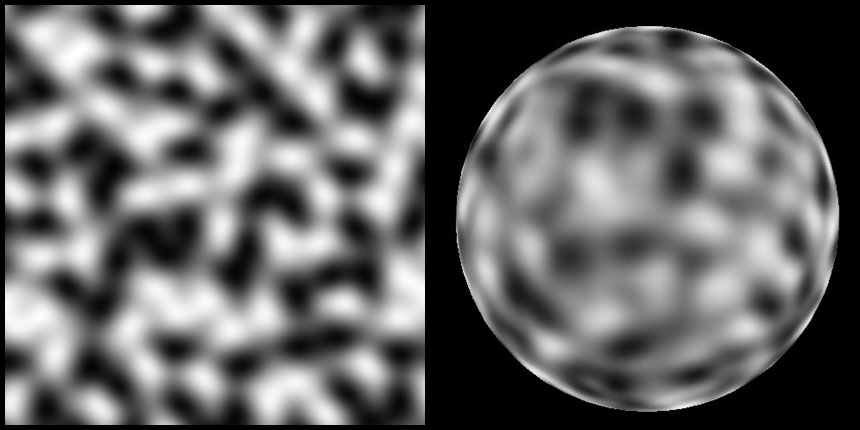
```lua
// SimplexPerlin2D ( simplex gradient noise )
// Perlin noise over a simplex (triangular) grid
// Return value range of -1.0->1.0
// http://briansharpe.files.wordpress.com/2012/01/simplexperlinsample.jpg
//
// Implementation originally based off Stefan Gustavson's and Ian McEwan's work at...
// http://github.com/ashima/webgl-noise
//
float SimplexPerlin2D( vec2 P )
```

```lua
// SimplexPolkaDot2D
// polkadots over a simplex (triangular) grid
// Return value range of 0.0->1.0
// http://briansharpe.files.wordpress.com/2012/01/simplexpolkadotsample.jpg
//
float SimplexPolkaDot2D( vec2 P,
float radius, // radius range is 0.0->1.0
float max_dimness ) // the maximal dimness of a dot ( 0.0->1.0 0.0 = all dots bright, 1.0 = maximum variation )
```

```lua
// SimplexCellular2D
// cellular noise over a simplex (triangular) grid
// Return value range of 0.0->~1.0
// http://briansharpe.files.wordpress.com/2012/01/simplexcellularsample.jpg
//
// TODO: scaling of return value to strict 0.0->1.0 range
//
float SimplexCellular2D( vec2 P )
```
```lua
// SimplexPerlin3D ( simplex gradient noise )
// Perlin noise over a simplex (tetrahedron) grid
// Return value range of -1.0->1.0
// http://briansharpe.files.wordpress.com/2012/01/simplexperlinsample.jpg
//
// Implementation originally based off Stefan Gustavson's and Ian McEwan's work at...
// http://github.com/ashima/webgl-noise
//
float SimplexPerlin3D(vec3 P)
```
```lua
// SimplexCellular3D
// cellular noise over a simplex (tetrahedron) grid
// Return value range of 0.0->~1.0
// http://briansharpe.files.wordpress.com/2012/01/simplexcellularsample.jpg
//
// TODO: scaling of return value to strict 0.0->1.0 range
//
float SimplexCellular3D( vec3 P )
```
```lua
// SimplexPolkaDot3D
// polkadots over a simplex (tetrahedron) grid
// Return value range of 0.0->1.0
// http://briansharpe.files.wordpress.com/2012/01/simplexpolkadotsample.jpg
//
float SimplexPolkaDot3D( vec3 P,
float radius, // radius range is 0.0->1.0
float max_dimness ) // the maximal dimness of a dot ( 0.0->1.0 0.0 = all dots bright, 1.0 = maximum variation )
```
### Hermite Noise
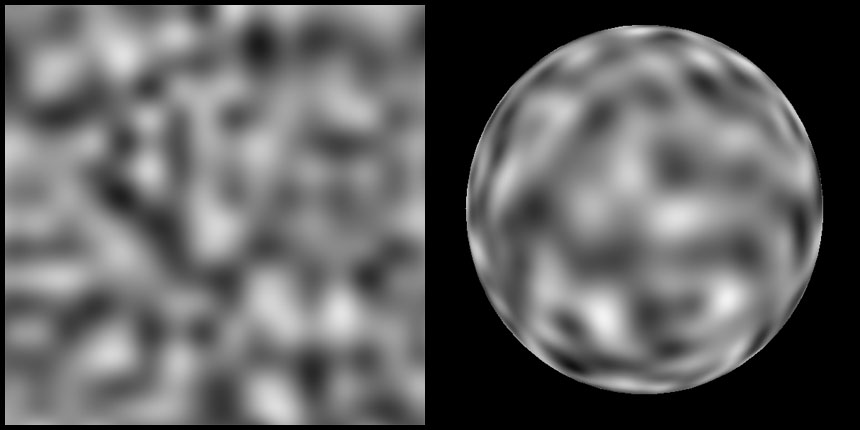
```lua
// Hermite2D
// Return value range of -1.0->1.0
// http://briansharpe.files.wordpress.com/2012/01/hermitesample.jpg
//
float Hermite2D( vec2 P )
```
```lua
// Hermite3D
// Return value range of -1.0->1.0
// http://briansharpe.files.wordpress.com/2012/01/hermitesample.jpg
//
float Hermite3D( vec3 P )
```

```lua
// ValueHermite2D
// Return value range of -1.0->1.0
// ( allows for a blend between value and hermite noise )
// http://briansharpe.files.wordpress.com/2012/01/valuehermitesample.jpg
//
float ValueHermite2D( vec2 P,
float value_scale, // value_scale = 2.0*MAXVALUE
float gradient_scale, // gradient_scale = 2.0*MAXGRADIENT
float normalization_val ) // normalization_val = ( 1.0 / ( MAXVALUE + MAXGRADIENT * 0.3125 * 2.0 ) )
```
```lua
// ValueHermite3D
// Return value range of -1.0->1.0
// ( allows for a blend between value and hermite noise )
// http://briansharpe.files.wordpress.com/2012/01/valuehermitesample.jpg
//
float ValueHermite3D( vec3 P,
float value_scale, // value_scale = 2.0*MAXVALUE
float gradient_scale, // gradient_scale = 2.0*MAXGRADIENT
float normalization_val ) // normalization_val = ( 1.0 / ( MAXVALUE + MAXGRADIENT * 0.3125 * 3.0 ) )
```
### Noise Derivatives
```lua
//
// Value2D_Deriv
// Value2D noise with derivatives
// returns vec3( value, xderiv, yderiv )
//
vec3 Value2D_Deriv( vec2 P )
```
```lua
// Value3D_Deriv
// Value3D noise with derivatives
// returns vec4( value, xderiv, yderiv, zderiv )
//
vec4 Value3D_Deriv( vec3 P )
```
```lua
// Perlin2D_Deriv
// Classic Perlin 2D noise with derivatives
// returns vec3( value, xderiv, yderiv )
//
vec3 Perlin2D_Deriv( vec2 P )
```
```lua
// Perlin3D_Deriv
// Classic Perlin 3D noise with derivatives
// returns vec4( value, xderiv, yderiv, zderiv )
//
vec4 Perlin3D_Deriv( vec3 P )
```
```lua
// PerlinSurflet2D_Deriv
// Perlin Surflet 2D noise with derivatives
// returns vec3( value, xderiv, yderiv )
//
vec3 PerlinSurflet2D_Deriv( vec2 P )
```
```lua
// PerlinSurflet3D_Deriv
// Perlin Surflet 3D noise with derivatives
// returns vec4( value, xderiv, yderiv, zderiv )
//
vec4 PerlinSurflet3D_Deriv( vec3 P )
```
```lua
// Cellular2D_Deriv
// Cellular 2D noise with derivatives
// returns vec3( value, xderiv, yderiv )
//
vec3 Cellular2D_Deriv(vec2 P)
```
```lua
// Cellular3D Deriv
// Cellular3D noise with derivatives
// returns vec3( value, xderiv, yderiv )
//
vec4 Cellular3D_Deriv(vec3 P)
```
```lua
// SimplexPerlin2D_Deriv
// SimplexPerlin2D noise with derivatives
// returns vec3( value, xderiv, yderiv )
//
vec3 SimplexPerlin2D_Deriv( vec2 P )
```
```lua
// SimplexPerlin3D_Deriv
// SimplexPerlin3D noise with derivatives
// returns vec3( value, xderiv, yderiv, zderiv )
//
vec4 SimplexPerlin3D_Deriv(vec3 P)
```
```lua
// Hermite2D_Deriv
// Hermite2D noise with derivatives
// returns vec3( value, xderiv, yderiv )
//
vec3 Hermite2D_Deriv( vec2 P )
```
```lua
// Hermite3D_Deriv
// Hermite3D noise with derivatives
// returns vec3( value, xderiv, yderiv, zderiv )
//
vec4 Hermite3D_Deriv( vec3 P )
```